
ASUS ROG Ally Battery Drains When Off: Diagnosis and Solutions
Generated by ReeFix AI · Sources: technical and specialist documentation (see Sources section)
Revision of 30/06/2026
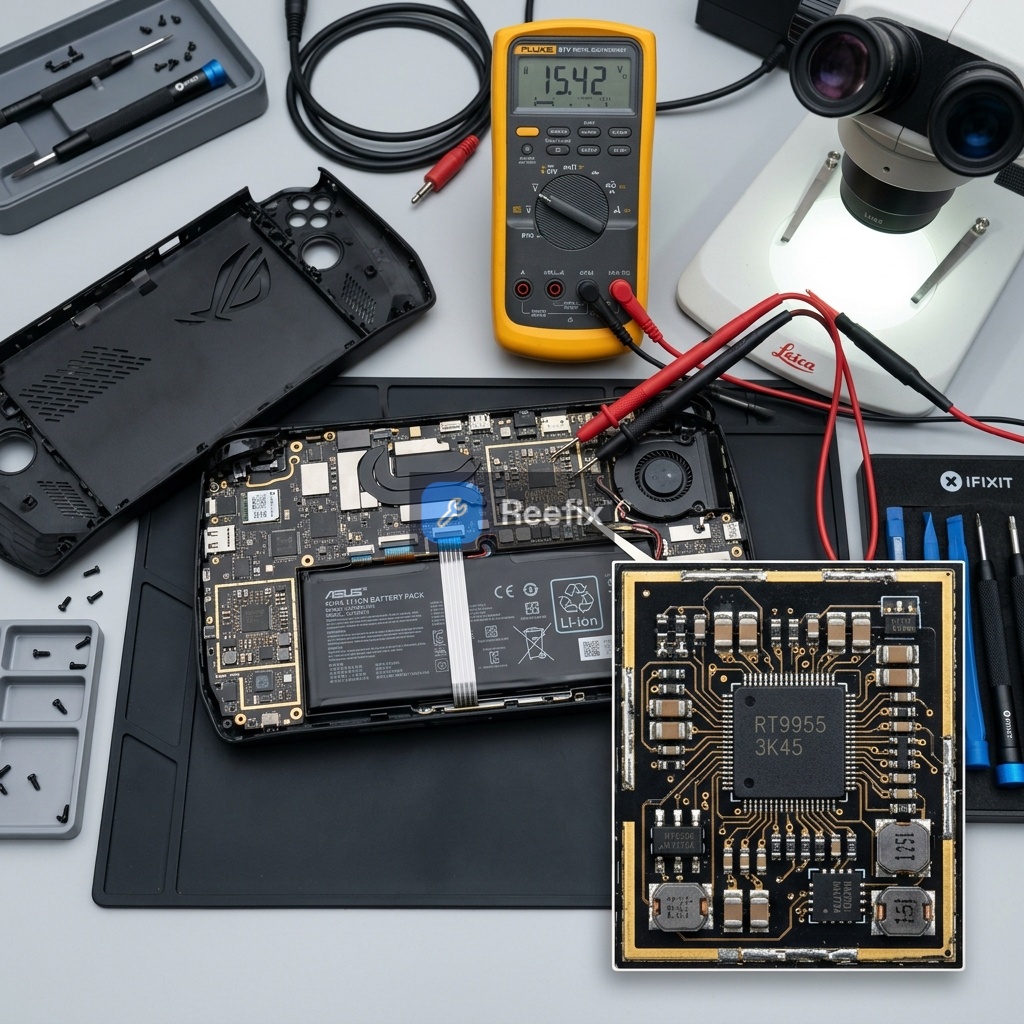
SAFETY WARNING / FIRE RISK. This device contains lithium batteries. Improper puncturing or bending during disassembly can cause explosions or flames. The intervention requires precision and the assistance of a specialized technician is recommended. ReeFix provides this diagnosis EXCLUSIVELY for educational and informational purposes.
HIGH PRIORITY
Cause 1: Incorrect Windows sleep state configuration (Modern Standby / Fast Startup) Probability: 55%
Why it happens: Windows 11, with its "Modern Standby" and "Fast Startup," doesn't always completely shut down the system. Instead of entering a deep shutdown state (ACPI S5), the console might remain in a low-power state (S0 Low Power Idle) or partial hibernation, keeping some components active and draining the battery. This often happens when the user shuts down the device normally but the operating system doesn't fully close the kernel or a driver prevents the complete power transition.
Key signs/indicators:
- Status LEDs (on the top of the chassis) remain dimly lit or pulse after shutdown.
- Sometimes, the fans briefly attempt to move immediately after shutting down the console.
- The problem is temporarily resolved by performing a forced shutdown (holding down the Shift key during shutdown).
Quick checks (user):
- Disable Fast Startup: Go to "Control Panel" > "Power Options" > "Choose what the power buttons do" > "Change settings that are currently unavailable." Uncheck "Turn on fast startup (recommended)." Restart and shut down.
- Check LEDs: After shutdown, carefully observe the status LEDs for at least 5 minutes. They must be completely off.
- Monitor discharge: Charge the ROG Ally to 100%, shut it down (without Fast Startup), and leave it unplugged for 12-24 hours. Check the remaining battery percentage. A drop greater than 2-3% is abnormal.
Common mistake: Confusing the deep sleep state with a true shutdown. Without disabling Fast Startup, shutdown is never "complete" in terms of power consumption.
MEDIUM PRIORITY
Cause 2: Leakage current on the motherboard or faulty PMIC Probability: 25%
Why it happens: A component on the motherboard (such as the power management integrated circuit - PMIC, or a ceramic capacitor) can develop an internal micro-short circuit or parasitic resistance. This creates an unwanted path for current, which continues to flow from the battery even when the device is off, simulating active consumption.
Key signs/indicators:
- The battery drains significantly even after performing a clean shutdown (with Fast Startup disabled) or a complete operating system reinstallation.
- Slight localized heat is felt on the back of the console when the device is off, even after a long period.
In more severe cases, a clear PMIC or related charging chip failure completely prevents the console from starting. If you notice that your ROG Ally does not turn on and does not charge, showing a completely black screen and no active status LEDs, it is very likely that the power integrated circuit has short-circuited.
Tools needed (for technician):
- Use a digital multimeter with microampere for leakage tests to measure residual absorption.
- A set of magnetic precision screwdrivers to open the chassis.
- Plastic spudger.
- Thermal camera (optional, but very useful for locating hot spots on the board).
Safety notes: Opening the console and working on the motherboard requires specific expertise to avoid permanent damage or safety risks. Do not attempt if you are not experienced.
LOW PRIORITY
Cause 3: Chemical wear or internal battery damage (high self-discharge) Probability: 15%
Why it happens: Lithium-ion batteries degrade over time. Thermal stress or deep discharge cycles can accelerate the formation of internal dendrites, creating micro-conductive paths that increase chemical self-discharge, even when the battery is disconnected from the system logic.
Key signs/indicators:
- The charge percentage drops drastically even when the battery is physically disconnected from the motherboard (technician test).
- Chassis bulging (sign of a swollen battery).
- General degradation of autonomy during use, not just when off.
Counter-examples: If the battery holds a charge when disconnected from the motherboard, the problem is not the battery itself but abnormal device consumption.
Cause 4: Minor or concurrent causes (connected USB peripherals, BIOS "Wake on AC" settings) Probability: 5%
Why it happens: Some BIOS settings (e.g., powering USB ports when the system is off, "Wake on AC" for waking from the power adapter) can keep circuits active that consume energy. Connected USB-C peripherals can also require constant power.
Quick checks (user):
- Disconnect all USB-C peripherals.
- Access the BIOS: completely shut down the console, hold down the Volume Down (-) button and press the Power button until the BIOS screen appears (if using an external keyboard, you can repeatedly press F2 at startup). Look for options related to powering USB ports when the system is off or "Wake on AC/USB" and disable them.
Costs (estimated for professional intervention):
- Battery replacement: purchase of a new ASUS ROG Ally battery + labor (approximately 70-150 euros total, depending on the technician and the spare part).
- Motherboard diagnosis and repair (leakage): High variability, from 100 to 300+ euros, often uneconomical compared to the device's value for complex repairs.
QUICK OPERATIONAL CONCLUSION (<=60 seconds):
- Repair yourself (HIGH probability): If the LEDs remain on or the drop is slight, disable Windows Fast Startup and check BIOS USB settings. This is the simplest, cheapest, and most likely successful attempt.
- Contact a technician (MEDIUM probability): If disabling Fast Startup does not resolve the issue and the problem persists with a significant drop (e.g., >10-15% in 24h), a motherboard leakage current or a faulty battery is likely. Battery replacement is a medium-cost intervention; motherboard repair can be complex and expensive.
- Replace the device (LOW probability): If a technician confirms a complex motherboard leakage (e.g., PMIC) or the battery is swollen and repair costs exceed 50% of the value of a new device, consider replacement.
Perché la batteria della mia ASUS ROG Ally si scarica da spenta?
Spesso dipende da impostazioni di Windows (come l'Avvio Rapido) che non spengono del tutto la console, o da un difetto hardware della batteria.
Come posso capire se la mia ROG Ally si scarica da spenta per un problema software o hardware?
Se i LED rimangono accesi dopo lo spegnimento o un arresto forzato risolve il calo, è un problema software. Altrimenti, la causa è hardware.
Quando dovrei rivolgermi a un tecnico per la batteria della ROG Ally che si scarica da spenta?
Rivolgiti a un tecnico se disattivare l'Avvio Rapido non risolve il problema o se noti rigonfiamenti dello chassis dovuti alla batteria.
This diagnostic report is generated using an artificial intelligence system (RAG) based on the aggregation of online data. The moderation by Luca Chia (Electronic Expert) validates its logical coherence and technical plausibility regarding the described symptoms, confirming the correctness of the AI's diagnostic reasoning, without however constituting an absolute guarantee of resolution for individual cases.