
Ayaneo 3 controller disconnection during gameplay: Solution
Generated by ReeFix AI · Sources: technical and specialist documentation (see Sources section)
Revision of 02/07/2026
⚠️ SAFETY WARNING / FIRE RISK. This device contains lithium batteries. Improper puncturing or bending during disassembly can cause explosions or flames. The intervention requires precision and the assistance of a specialized technician is recommended. ReeFix provides this diagnosis EXCLUSIVELY for educational and informational purposes.
REQUIRED TOOLS
For a thorough diagnosis and potential hardware intervention, a technician would use:
- iFixit Pro Tech Toolkit: Essential for opening the chassis without damage. iFixit Pro Tech Toolkit
- WD-40 Specialist Contact Cleaner: To clean oxidized connectors and contact pins. WD-40 Specialist Contact Cleaner
- 99% Isopropyl Alcohol for Electronics: Ideal for general cleaning of internal components and external contact pins.
- FPC Flat Cable 0.5mm pitch (compatible): Used internally to connect the pogo-pin contact board to the main motherboard, should the original cable be damaged or worn. FPC Flat Cable 0.5mm pitch
- Kapton Thermal Insulating Tape: To secure and insulate internal connectors from heat and vibrations.
PHASE 1: Software and Configuration Check (Probability: 45%)
The most frequent cause of disconnections on Ayaneo 3 controllers is related to software or driver conflicts. The Windows operating system manages controllers as internal USB peripherals, and the proprietary AYASpace 3.0 software acts as an intermediary. If incompatibilities occur, the operating system may temporarily lose communication.
Verification steps (user):
- Temporary AYASpace Uninstallation: Remove AYASpace and restart the console. Test the controller with a game that supports native XInput (e.g., via Steam, but without Steam Input active). If the problem disappears, reinstall AYASpace and check for updates or settings that might cause conflicts.
- USB Driver Verification: Access Windows Device Manager. Look for "USB Controllers" or "Human Interface Devices". Uninstall the drivers related to the controller (they might appear as "Xbox 360 Controller" or "XInput Device") and restart the console to have them reinstall automatically.
- USB Power Saving Settings: In Windows power options, disable "USB selective suspend setting" for all entries related to USB Root Hubs. This prevents Windows from deactivating internal USB ports to save power, often a cause of disconnections under load.
- Often happens when: the problem only occurs with AYASpace active or after installing new drivers/software. If you only restart the management application and the controller resumes, it is almost certainly a software issue.
Key signals: Disconnection occurs when you open AYASpace, launch Steam in Big Picture, or use graphical overlays. The controller returns to functioning by restarting the management application without restarting the console.
PHASE 2: Hardware Inspection (Probability: 35% contacts/FPC cable, 15% voltage instability, 5% other)
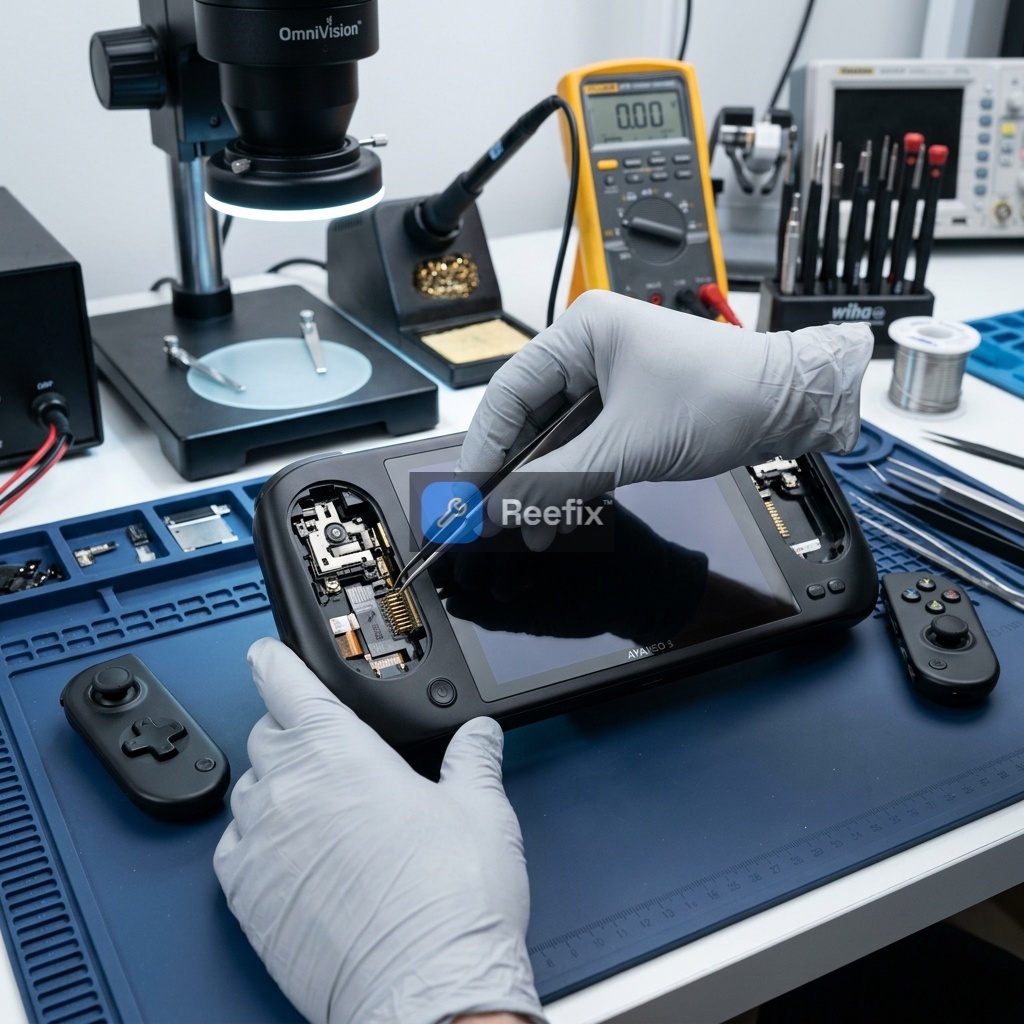
If software solutions do not resolve the problem, the cause is likely hardware. The Ayaneo 3 stands out for its unique design with removable modular controllers (called Magic Modules). These modules connect to the console via magnetic contacts and external spring-loaded pins (Pogo Pins). If the disconnection occurs physically, the cause often lies in the external contacts or, in more complex cases, in the internal FPC flat cables that connect the contact board to the motherboard.
WARNING: This phase requires opening the device and carries risks of damage or battery fire. It is STRONGLY RECOMMENDED to consult a qualified technician.
What a technician would do:
- Cleaning External Pogo Pins (Without Disassembly): Before opening the console, it is essential to inspect the golden pins (Pogo Pins) on the back of the controller modules and their corresponding flat contacts inside the console's slots. Accumulations of dirt, dust, or oxidation can interrupt the signal.
- What to do: Turn off the console, remove the modules (via software ejection in AYASpace 3.0 or the physical release button) and gently clean the contacts with a cotton swab dampened with 99% isopropyl alcohol or by spraying WD-40 Specialist electrical contact cleaner. Allow to dry completely before reinserting the modules.
If you notice that one of the pogo pins remains stuck or does not return smoothly when pressed, the internal spring may be blocked or damaged. In these cases, a stuck pin prevents constant electrical contact, causing continuous controller disconnections during gameplay.
- Visual Inspection of Internal FPC Cables (Requires Disassembly): If external cleaning does not resolve the issue, the problem could be internal. The daughterboard that houses the module contacts is connected to the main motherboard via an FPC (Flexible Printed Circuit) flat cable.
- What a technician would do: After removing the back shell and disconnecting the battery (critical step to avoid short circuits), the technician would examine the FPC flat cable and its ZIF (Zero Insertion Force) connectors. They would look for abnormal bends, abrasions, or a partial disconnection caused by strong vibrations (haptic feedback) or thermal expansion.
- Real micro-case: A slight loosening of the internal ZIF connector interrupts the dedicated USB data line for the modules, causing sudden disconnections during gameplay. The technician would clean the flat cable contacts with isopropyl alcohol, reinsert it firmly, and might apply Kapton tape to stabilize it.
- Power Stability Check (instrumental): With an oscilloscope, the technician would measure the stability of the power line (3.3V/5V) dedicated to the controller's microcontroller, especially when the APU is under maximum load (e.g., 28W-32W TDP). Voltage sags can cause the controller to reset.
- Key signal: The problem only occurs at high TDP or during intense gaming sessions.
- ESD and Grounding Check: The effectiveness of EMI shielding and grounding continuity would be verified to rule out disconnections induced by electrostatic discharges (ESD).
FINAL VERIFICATION
The decision depends on the outcome of the previous phases and your familiarity with hardware interventions:
- If PHASE 1 (software) resolves the problem (45% probability): You can repair the device yourself. The solution was software and did not require additional costs beyond the time spent.
- If PHASE 1 fails but signals indicate a problem with contacts or the FPC cable (35% probability): If it's dirt on the external Pogo Pins, you can repair it yourself by cleaning the contacts. However, if the problem is internal (loose or damaged FPC cable), given the delicacy and battery risk, it is strongly recommended to consult a technician for an inspection and possible replacement of the FPC cables.
- If signals indicate voltage instability, ESD, or microcontroller defect (20% probability): It is essential to consult a specialized technician. These diagnoses require advanced instrumentation and specific skills (oscilloscope, multimeter for continuity).
- If the technician finds a serious motherboard defect or a high repair cost: It might be more convenient to replace the device, especially if the repair cost approaches the console's residual value.
Perché il controller dell'Ayaneo 3 si disconnette durante il gioco?
Le cause comuni includono contatti Pogo Pin sporchi, cavi flat FPC interni allentati o conflitti software con AYASpace. Richiede diagnosi.
Come capire se la disconnessione del controller Ayaneo 3 è un problema hardware?
Se pulire i pin esterni e aggiornare AYASpace non risolve, e il controller si disconnette muovendo la console, è probabile un difetto hardware.
Quanto costa riparare la disconnessione del controller Ayaneo 3?
La pulizia dei contatti è gratuita. Se occorre sostituire un cavo flat FPC interno, il costo stimato da un tecnico è di circa 40-80 €.
This diagnostic report is generated using an artificial intelligence system (RAG) based on the aggregation of online data. The moderation by Luca Chia (Electronic Expert) validates its logical coherence and technical plausibility regarding the described symptoms, confirming the correctness of the AI's diagnostic reasoning, without however constituting an absolute guarantee of resolution for individual cases.