
Diagnosing Meta Ray-Ban Display Battery Drain: AI Impact
Generated by ReeFix AI · Sources: technical and specialist documentation (see Sources section)
Revision of 07/07/2026
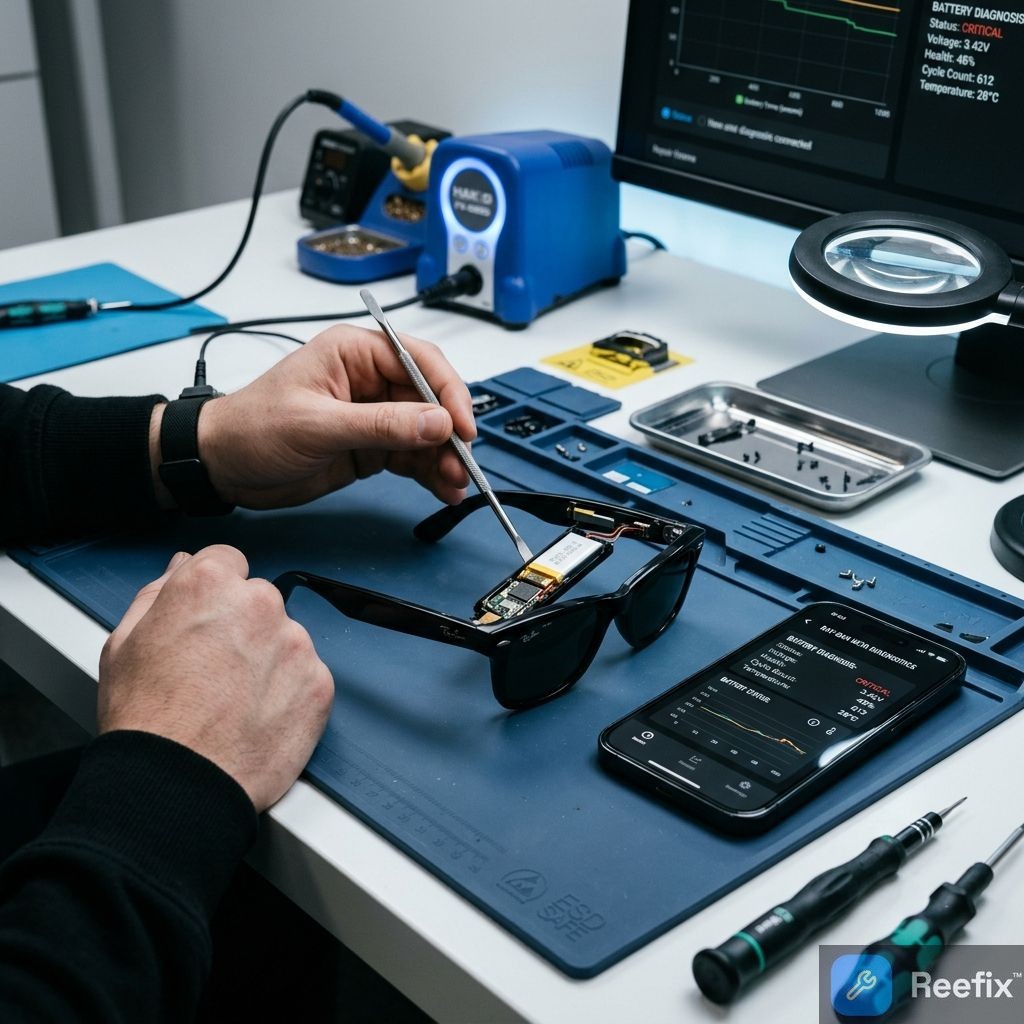
WARNING ⚠️ SAFETY / FIRE HAZARD. This device contains lithium batteries. Improper piercing or bending during disassembly can cause explosions or flames. Intervention requires precision and specialized technician assistance is recommended. ReeFix provides this diagnosis EXCLUSIVELY for educational and informational purposes.
QUICK TEST
Perform these simple tests to identify the cause of abnormal battery drain:
- "Intensive AI Use" Test: Fully charge your Meta Ray-Ban. Use AI features (e.g., "Hey Meta, look and tell me...") intensively for about 10-15 minutes. Monitor the battery percentage: is there a drastic and sudden drop?
- "Non-AI Use" Test: Fully charge. Use the glasses to listen to music or take occasional photos, but AVOID any interaction with Meta AI for at least 30 minutes. Is the consumption normal or significantly slower than Test 1?
- "Post-AI Rest Drain" Test: After performing Test 1 (intensive AI use), leave the glasses inactive, without charging them, for 1-2 hours. Does the battery continue to drain rapidly even when not in use?
- Firmware Check: Open the Meta View app on your smartphone. Check if there are any firmware updates available for your glasses and install them if present.
DECISION FORK
Based on the test results, identify your scenario:
- Scenario A: Rapid drain occurs PRIMARILY with Meta AI use (Test 1 negative, Test 2 positive, Test 3 negative).
- Indication: The problem is related to current absorption peaks of AI functionalities.
- Scenario B: Rapid drain occurs EVEN WITHOUT AI use, or continues to drain rapidly when inactive after AI use (Test 1 negative, Test 2 negative, Test 3 negative).
- Indication: There might be a software bug preventing power saving or a battery with more general degradation.
- Scenario C: Drain is slow and normal in all cases (Test 1, 2, 3 positive).
- Indication: Consumption is within specifications; the problem might be a misperception or more intense use than expected.
CONFIRMED DIAGNOSIS
1. Cause: High AI Absorption & "Voltage Sag" (Battery Under Stress)
- Probability: High (68%) if you fall into Scenario A.
- Key signs: Sudden device shutdown or drastic drop in battery percentage only after activating Meta AI, even if the remaining charge seemed adequate. The battery drains quickly but "normally" if you don't use AI.
- Why: The integrated battery (248 mAh) is very small.
If you notice that the battery life has drastically dropped after about a year of use, you might have considered a battery replacement for your Ray-Ban Meta. Unfortunately, technical teardowns confirm that these glasses are sealed and almost impossible to open without damaging the internal circuits. When you activate Meta AI, microphones, camera, integrated display, and Wi-Fi/Bluetooth transmitters turn on simultaneously, requiring a high current peak. This demand can cause a "voltage sag" due to the battery's internal resistance (which increases with age), leading the system to shut down prematurely to protect the cell, even if it's not completely discharged.
- Often happens when: The device has exceeded 12-18 months of life with frequent use of AI features, or has been exposed to extreme temperatures.
- Operational decision:
- DIY Repair: Strongly discouraged. Battery replacement is extremely complex, requires micro-soldering, and carries high risks (explosion/fire) for non-specialists.
- Technician: A specialized technician might attempt battery replacement. However, given the complexity and integration, labor costs could be significant, making the intervention uneconomical.
- Replace: If the repair estimate approaches 50-60% of the cost of a new pair of glasses, device replacement is often the most sensible option.
2. Cause: Software Bug ("Wake Lock") or Outdated Firmware
- Probability: Medium (25%) if you fall into Scenario B and have already verified that there are no updates.
- Key signs: The battery drains rapidly and continuously even when the glasses are inactive (e.g., on the table) after an AI interaction. The drain is constant and the battery runs out in a few hours without active use. You have already tried restarting without success.
- Why: A firmware error (a "wake lock") can prevent the operating system from correctly releasing a hardware resource (e.g., CPU remaining at high frequency, Wi-Fi/Bluetooth transceiver remaining active) after AI use. The device fails to enter a deep sleep state, consuming energy unnecessarily.
- Quick checks:
- Always ensure the glasses are updated to the latest firmware version via the Meta View app. Updates often resolve these bugs.
- Consider a factory reset (if the app allows it and you don't lose important data).
- Operational decision:
- DIY Repair: Yes, via firmware update or reset. This is the only safe and recommended "DIY repair" for this type of problem.
- Technician: Not necessary for a software problem solvable with updates or resets.
3. Cause: General Battery Degradation (AI-Independent)
- Probability: Low (7%) if you fall into Scenario B and the drain is rapid even with normal use, without AI, and the device is old.
- Key signs: Battery life is significantly reduced in every usage scenario, not just with AI. The device is old (>2 years) or has been exposed to intensive charge/discharge cycles or extreme temperatures.
- Counter-examples: If the drain is only with AI, this is not the primary cause.
- Prevention tips: Avoid exposing the device to extreme temperatures and try to keep the charge between 20% and 80% when possible to prolong battery life.
- Operational decision: Similar to point 1 (High AI Absorption), battery replacement is complex and costly, often making device replacement more economical.
Technician output (synthetic handoff): "Customer reports severe battery drain on Meta Ray-Ban Display, exacerbated by AI features. Probable voltage sag due to micro-battery degradation (248 mAh) under peak loads (display, camera, microphones, Wi-Fi/BT) or, alternatively, persistent software wake lock post-AI. Verify battery status and consumption logs, consider firmware update before hardware intervention. For more repair details, consult this page."
Clear operational decision: If rapid drain occurs only with Meta AI use and firmware updates/resets do not resolve it, contact a specialized technician for an evaluation or consider replacing the device; if the drain is constant even at rest after AI use, check and apply available firmware updates or perform a factory reset.
Why do my Meta Ray-Ban Display glasses drain quickly?
It can depend on a software bug (wake lock), outdated firmware, or the degradation of the 248 mAh battery under stress from intensive AI use.
How to understand if the battery consumption of Meta Ray-Ban Display glasses is due to AI?
Do a test using AI for 15 minutes and then without for 30. If the drastic drop only occurs with AI, the cause is the absorption peak.
When is a technician needed for the Meta Ray-Ban Display battery?
If the drain persists after a reset and firmware update, a technician is needed to assess the battery status or replacement.
This diagnostic report is generated using an artificial intelligence system (RAG) based on the aggregation of online data. No publication happens automatically: the rigorous multi-step moderation by Luca Chia (Electronic Expert) validates its logical coherence and technical plausibility regarding the described symptoms, confirming the correctness of the AI's diagnostic reasoning, without however constituting an absolute guarantee of resolution for individual cases.