
Lenovo Legion Go Gen 2: Battery Charging Issue - Diagnosis
Generated by ReeFix AI · Sources: technical and specialist documentation (see Sources section)
Revision of 01/07/2026
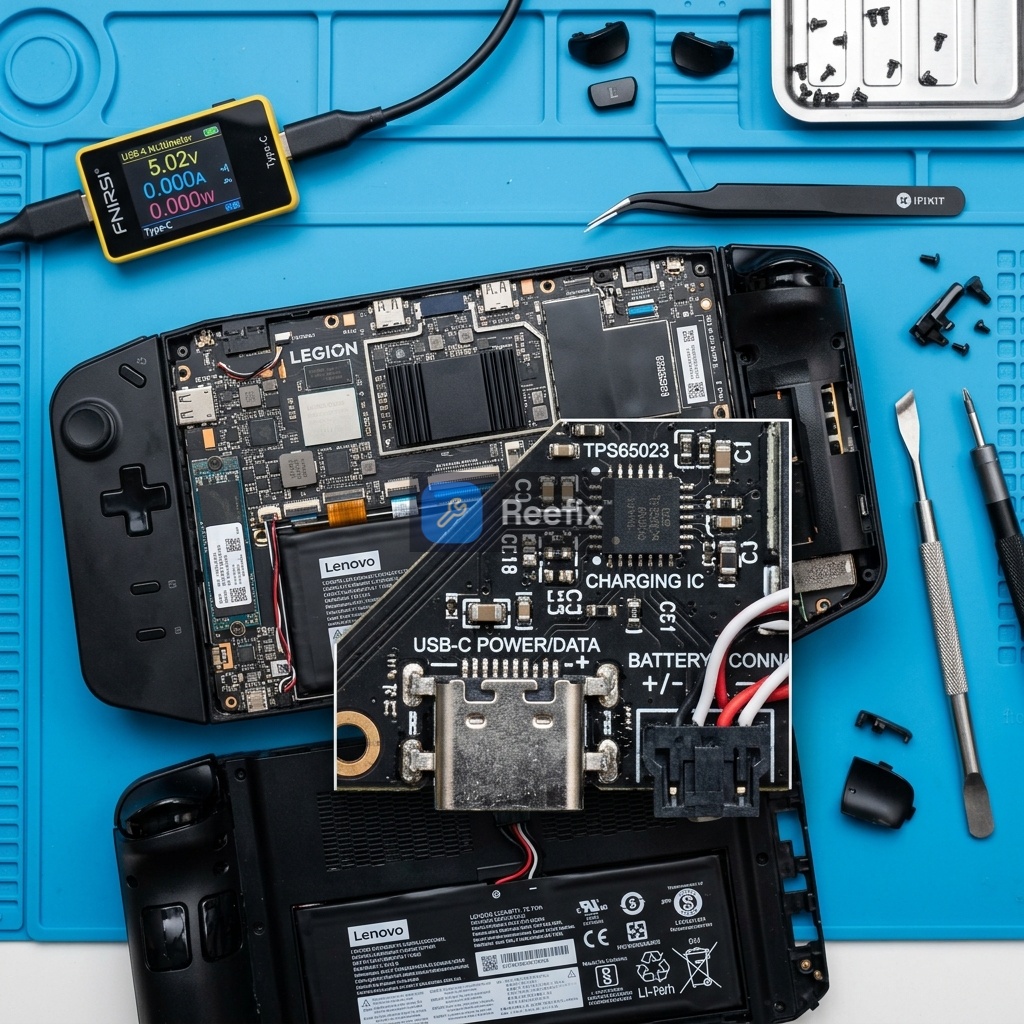
SAFETY WARNING / FIRE RISK. This device contains lithium batteries. Improper puncturing or bending during disassembly can cause explosions or flames. The intervention requires precision and it is recommended to seek the help of a specialized technician. ReeFix provides this diagnosis EXCLUSIVELY for educational and informational purposes.
CAUSE A: Software conflict or EC (Embedded Controller) firmware bug
Probability: 65% (High)
Why it happens: The Embedded Controller (EC) is a microcontroller on the motherboard that manages low-level tasks such as battery charging. If the BIOS firmware has a bug or if the EC "gets stuck" in a logical state due to abnormal power transitions (e.g., sudden switching between sleep, hibernation, and shutdown modes), it might ignore the charge limitation set by the Legion Space software. This is a common issue, often due to a communication misalignment.
Key signs/indicators:
- The charge limitation (e.g., 80%) works intermittently or deactivates after a system suspension.
- Disabling and re-enabling the limitation option in Legion Space temporarily resolves the issue.
Quick checks (Do it yourself):
- BIOS Update: Check the Lenovo support website to ensure the latest BIOS version is installed. An update may contain fixes for the EC.
- EC Hard Reset: Completely shut down the Legion Go Gen 2. Disconnect the power adapter and any peripherals. Press and hold the power button for at least 40-60 seconds. This forces the capacitors to drain and resets the EC to factory defaults, resolving logical blocks.
- Legion Space Reinstallation: Completely uninstall the Legion Space application, clean up any residual registry files, and reinstall the latest stable version.
Estimated costs: €0 (software/firmware intervention). Intervention difficulty: Medium (requires familiarity with firmware, BIOS, and system driver management).
CAUSE B: ACPI or Legion Space driver corruption
Probability: 20% (Medium)
Why it happens: Proper communication between the operating system (Windows), the Legion Space application, and the power management hardware depends on specific drivers, particularly ACPI (Advanced Configuration and Power Interface) drivers and the Lenovo virtual power controller driver. If these drivers are corrupted, outdated, or in conflict, the charge limitation command might not be transmitted correctly to the EC.
Key signs/indicators:
- The charge limitation switch within Legion Space does not maintain the set state or displays error messages related to communication failure with Lenovo services.
- You might notice other minor malfunctions related to system power management.
Quick checks (Do it yourself):
- ACPI Driver Reinstallation: Open Windows "Device Manager". Expand the "Batteries" section and uninstall all listed drivers (e.g., "Microsoft ACPI-Compliant Control Method Battery"). Restart the device; Windows will automatically reinstall generic drivers.
- Lenovo Power Controller Driver Reinstallation: Download and reinstall the official driver package for power management and Legion Space directly from the Lenovo support website, ensuring they are specific to the Legion Go Gen 2.
Estimated costs: €0 (software/firmware intervention). Intervention difficulty: Low (requires familiarity with Device Manager and driver installation).
CAUSE C: Power adapter or dock incompatibility (USB-PD Protocol)
Probability: 10% (Low)
Why it happens: The Lenovo Legion Go Gen 2 uses the USB Power Delivery (USB-PD) protocol for charging. If third-party power adapters or docking stations are used that do not perfectly conform to USB-PD specifications or do not support proper bidirectional energy data negotiation, the Legion Go Gen 2's PD controller chip might not receive correct information or, for safety, disable advanced battery management functions, including charge limitation.
Key signs/indicators:
- The charging issue occurs exclusively when the device is connected to a docking station or a non-original Lenovo charger.
- With the original 65W power adapter supplied with the device, the charge limitation function appears to work regularly.
Quick checks (Do it yourself):
- Test with original power adapter: Charge the device exclusively using the original Lenovo 65W power adapter, connecting it directly to one of the Legion Go Gen 2's USB-C ports, without intermediaries (hub, dock).
- Monitoring with USB-C Tester: If available, a USB-C Power Delivery Tester can help monitor voltage and current negotiation in real-time, checking if the power flow stops or drastically decreases upon reaching the set threshold.
Estimated costs: €0 for verification. If the non-original power adapter is the cause, you might need to purchase a compatible power adapter (medium-high cost). Intervention difficulty: Very Low (only power adapter change).
WHICH ONE IS YOURS?
The vast majority of charge limitation issues on the Lenovo Legion Go Gen 2 are resolvable through software or firmware interventions. The probability of a hardware defect is very low (less than 5%, attributable to cell imbalance or PMIC defect).
Operational decision:
- Repair yourself (DIY): Perform the "Quick checks" in order for CAUSE A (EC Hard Reset, BIOS update, Legion Space reinstallation) and then for CAUSE B (ACPI and Lenovo Power Controller driver reinstallation). These steps are free and do not require opening the device.
- If the problem persists, evaluate the power adapter (DIY): Try charging the device exclusively with the original Lenovo power adapter. If this resolves the issue, your third-party power adapter or dock is incompatible.
- Contact a technician: If after all these steps the problem persists, it is advisable to contact a specialized technician. The estimated labor cost is €30-€60. The technician can perform an in-depth diagnosis with professional tools such as a USB-C Power Delivery Tester and evaluate internal components (e.g., the PMIC or the Lenovo Legion Go Battery itself, which would also require an iFixit precision screwdriver kit for opening). Device replacement is rarely justified for this type of problem.
Why is my Lenovo Legion Go Gen 2 not charging past 80% or intermittently?
This is often due to a software conflict or an EC (Embedded Controller) firmware bug, causing the charge limitation to misbehave.
How can I identify a software or EC bug causing charging issues?
Look for intermittent charge limitation (e.g., 80%) or if disabling/re-enabling the option in Legion Space temporarily fixes it.
When should I seek professional help for Legion Go Gen 2 charging problems?
If quick checks like BIOS updates or EC resets don't resolve the issue, or if you suspect hardware damage, consult a specialized technician.
This diagnostic report is generated using an artificial intelligence system (RAG) based on the aggregation of online data. The moderation by Luca Chia (Electronic Expert) validates its logical coherence and technical plausibility regarding the described symptoms, confirming the correctness of the AI's diagnostic reasoning, without however constituting an absolute guarantee of resolution for individual cases.