
Lenovo Legion Go: Unexpected Wake-up from Sleep - Solution
Generated by ReeFix AI · Sources: technical and specialist documentation (see Sources section)
Revision of 01/07/2026
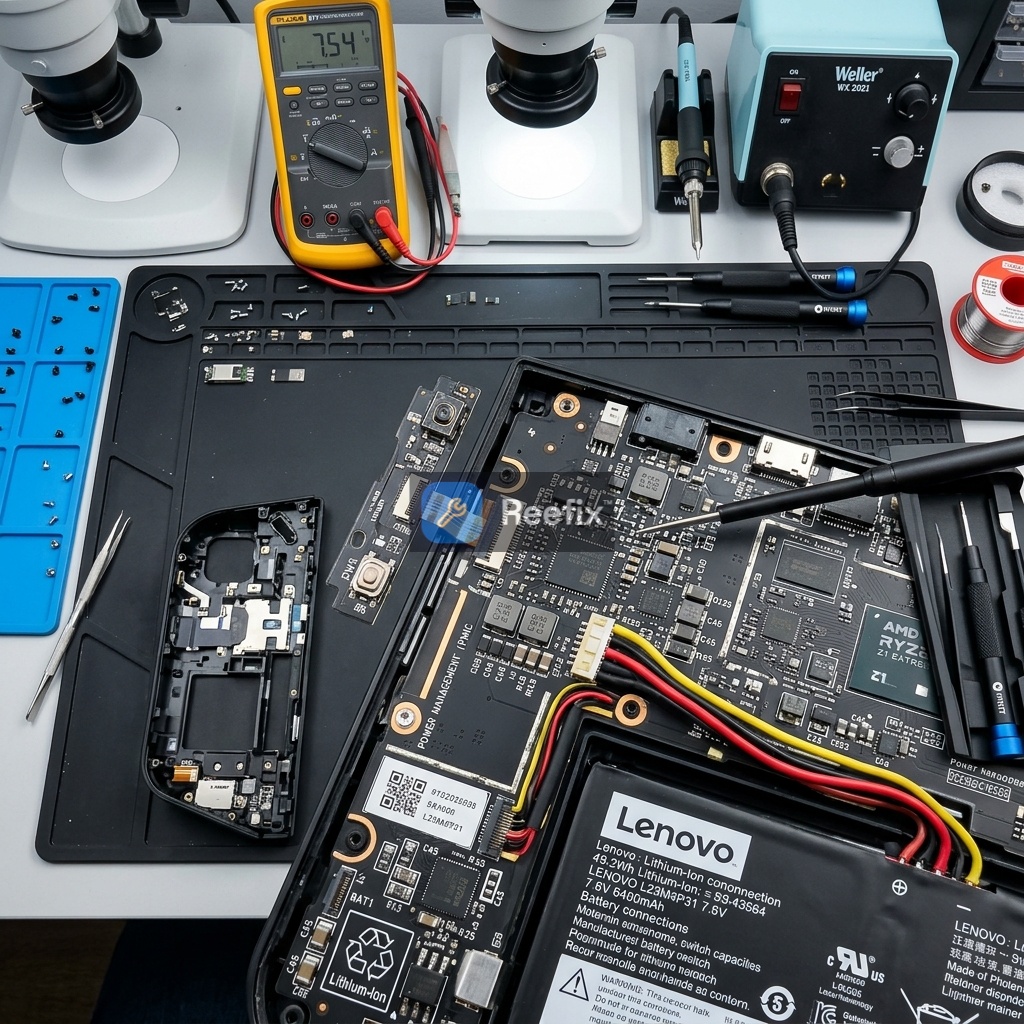
⚠️ SAFETY WARNING / FIRE HAZARD. This device contains lithium batteries. Improper puncturing or bending during disassembly can cause explosions or flames. The intervention requires precision and the assistance of a specialized technician is recommended. ReeFix provides this diagnosis EXCLUSIVELY for educational and informational purposes.
IF the device spontaneously wakes up shortly after sleep, is warm to the touch, and shows abnormal battery consumption:
- Probability: 55%
- Key Signs/Indicators: The Legion Go turns back on a few minutes after entering sleep mode, even without any interaction. It is often found warm to the touch and the battery is more drained than expected. This indicates that the system has not entered a safe power-saving state or hibernation (S4), but has remained active in "Modern Standby" (S0 Low Power Idle) with background activities causing its sudden wake-up.
- Quick Checks (DIY):
- Disable Wake Timers: Go to "Control Panel" > "Power Options". Click on "Change plan settings" for your active plan, then on "Change advanced power settings". Expand "Sleep", then "Allow wake timers" and set it to "Disable" for both "On battery" and "Plugged in".
- Check System Logs: Press
Win + Xand select "Event Viewer". Navigate to "Windows Logs" > "System". Filter events by "Event Source: Power-Troubleshooter". Look for recent events indicating the cause of the wake-up. If the cause is "Unknown" or related to background system services, it's a strong indication of problematic Modern Standby power management.
- Output for technician (Synthetic Handoff): The system does not correctly enter S0 Low Power Idle. Suspect incorrect Modern Standby configuration or drivers with suboptimal power management. Check the output of
powercfg /lastwakeandpowercfg /devicequery wake_armed. Consider enabling Hibernation (S4) as an alternative. - Safety Notes: If the device wakes up while closed in its case, obstructed fans can cause a rapid and dangerous increase in internal temperature (up to 100-105 °C), irreversibly degrading the Replacement battery for Lenovo Legion Go or, in more severe cases, causing it to swell. Avoid leaving the device in sleep mode inside enclosed spaces.
- Costs (if repair needed): Resolution through software modifications is free of charge. If prolonged overheating has damaged or swollen the battery, its professional replacement has an estimated cost between €60 and €100 (including parts and labor).
IF the wake-up primarily occurs when the Legion Go is moved, lifted, or placed in its case, or in the presence of network activity:
- Probability: 45% (25% for TrueStrike controllers + 20% for Wi-Fi card)
- Key Signs/Indicators: The problem manifests when the device is touched or moved, or when it is connected to a busy or unstable Wi-Fi network. A micro-movement of the attached controllers can cause a momentary disconnection/reconnection of the pogo pins, which the system interprets as a "Plug and Play" event and thus a wake-up signal. Similarly, network signals (such as "Magic Packets" or router polling) can activate the Wake on WLAN (WoWLAN) feature.
- Quick Checks (DIY):
- Test TrueStrike Controllers: Put the Legion Go to sleep after physically removing both controllers. If the problem does not occur, the origin is almost certainly in the contacts (pogo pins) or the firmware of the controllers themselves.
- Disable Wake on WLAN (WoWLAN): Press
Win + Xand select "Device Manager". Expand "Network adapters", right-click on your Wi-Fi card (the factory MediaTek RZ616 or the common Intel AX210 WiFi card used as a replacement) and select "Properties". Go to the "Advanced" tab and disable entries related to "Pattern Match Wake Up", "Magic Packet Wake Up", and "Wake on Magic Packet". - Check controllers in Device Manager: In the same "Device Manager", under "USB controllers" or "Human Interface Devices", find the TrueStrike controllers. In their properties ("Power Management" tab), disable the option "Allow this device to wake the computer".
- Output for technician (Synthetic Handoff): Suspect spurious inputs from TrueStrike controllers (pogo pins or Bluetooth connection) or WoWLAN activity from the Wi-Fi network card (MediaTek RZ616 or Intel AX210 WiFi card). A visual inspection of the pogo pins on the Legion Go body and controllers is recommended to rule out oxidation or deformation, and a thorough check of the network card's power management settings.
- Typical User Error: Forgetting to disable wake-up options for all potentially involved devices (controllers, virtual keyboards, external mice) and not just the Wi-Fi card.
- Costs (if repair needed): If a TrueStrike controller is hardware defective, the replacement of a single controller has an estimated cost between €90 and €130. Replacing the Wi-Fi network card (with a new MediaTek or Intel AX210 unit) has an estimated cost between €30 and €60 (parts and labor included).
If, after installing the new Intel AX210 card, you notice continuous disconnection or sudden signal drops under load, don't worry: this is a known conflict in technical forums related to Windows' aggressive power management, which can be resolved by disabling the selective suspend option in the advanced driver properties.
THEN:
- If initial software checks (disabling wake timers, WoWLAN, controller options in Device Manager) resolve the problem:
- Repair yourself: Yes, you have resolved the software configuration issue. No cost.
- If the problem persists after software checks, especially after removing controllers or isolating the network card:
- Consult a technician: A less obvious hardware defect is likely, such as worn pogo pins, a faulty power button, or a malfunctioning Wi-Fi card that requires replacement. The technician will use tools like an iFixit Pro Tech Toolkit precision screwdriver set and plastic spudgers for safe hardware inspection.
- If the device has experienced repeated overheating and the battery is swollen or capacity is drastically reduced:
- Consult a technician: Replacement of the Replacement battery for Lenovo Legion Go is necessary. This intervention, given the presence of lithium batteries, is high-risk and not recommended for DIY.
- If the estimated cost of hardware repair (e.g., replacement of a TrueStrike controller or, in extreme cases, the motherboard) approaches the value of a new or refurbished device:
- Replace the device: Consider purchasing a new Legion Go. This scenario is rare for wake-up issues alone, but if the motherboard or both controllers were severely damaged, replacing the entire console might be the most cost-effective long-term option.
CONCLUSION:
Start by disabling wake timers and wake permissions for peripherals and the Wi-Fi card in Windows settings, as this is the most probable cause (55%). If the problem persists, test the Legion Go in sleep mode without the TrueStrike controllers attached and consult system logs to identify the specific peripheral causing the wake-up (combined probability of 45%). If software changes do not resolve the issue, or if hardware damage is suspected (e.g., swollen battery, worn pogo pins), consult a specialized technician. Replacing the entire device is the last option, to be considered only if hardware repair costs exceed the residual value of the Legion Go.
Perché il mio Lenovo Legion Go si riattiva da sospensione e si scarica velocemente?
Il Legion Go si riattiva a causa del Modern Standby (S0), che mantiene attivi processi in background invece di mandare la console in ibernazione.
Come capire se il Legion Go non entra in sospensione correttamente?
Se la console si riaccende da sola, rimane calda al tatto nella custodia e la batteria si consuma rapidamente, la sospensione non funziona.
Quando è consigliato un tecnico per la riattivazione anomala del Legion Go?
Rivolgiti a un tecnico se le modifiche software non risolvono o se sospetti danni fisici a batteria, pogo pin o scheda Wi-Fi.
This diagnostic report is generated using an artificial intelligence system (RAG) based on the aggregation of online data. The moderation by Luca Chia (Electronic Expert) validates its logical coherence and technical plausibility regarding the described symptoms, confirming the correctness of the AI's diagnostic reasoning, without however constituting an absolute guarantee of resolution for individual cases.