
ROG Ally X Controls Frozen: Diagnosis and Effective Solutions
Generated by ReeFix AI · Sources: technical and specialist documentation (see Sources section)
Revision of 02/07/2026
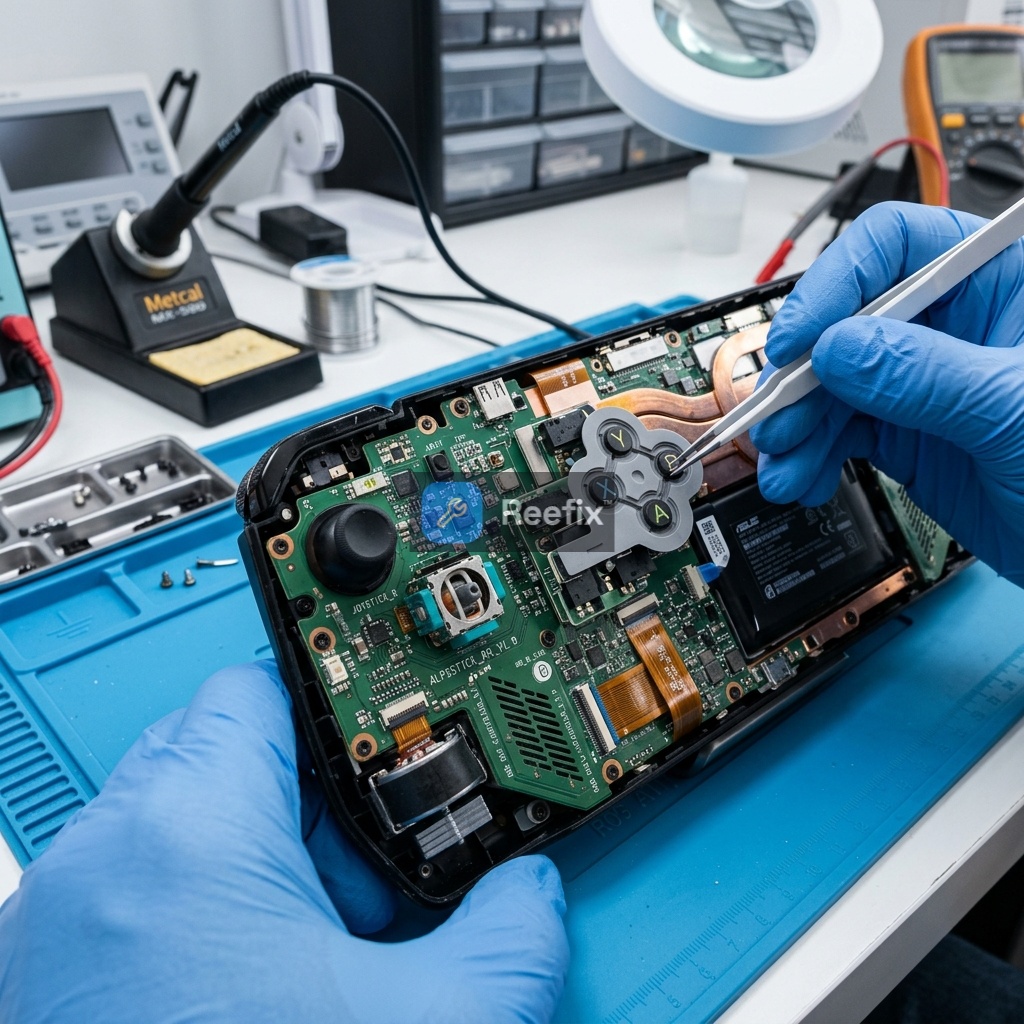
⚠️ SAFETY WARNING / FIRE HAZARD. This device contains lithium batteries. Improper puncturing or bending during disassembly can cause explosions or flames. The intervention requires precision and the assistance of a specialized technician is recommended. ReeFix provides this diagnosis EXCLUSIVELY for educational and informational purposes.
TECHNICAL CHECKLIST
1. Responsiveness Test with External Peripherals:
- Action: When integrated controls are frozen, connect a USB-C mouse and/or keyboard (via a hub) or wireless.
- Verification: Check if the operating system (Windows) and the game respond to external inputs.
- Purpose: Isolate whether the freeze affects only the integrated controller or the entire input system.
2. Disable Game Overlays:
- Action: Temporarily disable Xbox Game Bar, Steam overlay, and any other overlays (e.g., Discord, EA App) from Windows settings and their respective applications.
- Verification: Try sending an invite or interacting with the friends list again.
- Purpose: Identify a specific software conflict that intercepts input focus.
3. Monitor Armoury Crate Service:
- Action: Open Task Manager (Ctrl+Shift+Esc), go to the "Services" tab, and look for "ArmouryCrateSE.Service".
- Verification: Observe the service status before and after reproducing the freeze. If it is "Stopped" or "Pending", try restarting it.
- Purpose: Determine if the key service for ASUS command management is freezing.
4. Reset the Embedded Controller (EC):
- Action: Completely shut down the ROG Ally X. Disconnect the power adapter. Press and hold the power button for 40 seconds. Reconnect the power adapter and turn it on.
- Verification: Test the controls again.
- Purpose: Restore the logical state of the internal controller and communication buses, resolving temporary bugs.
5. Check and Reinstall Input Drivers (Advanced):
- Action: Go to Device Manager, expand "Human Interface Devices" and "USB controllers". Look for entries related to the ASUS controller or XInput peripherals.
- Verification: Uninstall the ASUS controller drivers (a restart may be required) and let them reinstall automatically or manually via Armoury Crate.
- Purpose: Eliminate corrupted or conflicting drivers.
INSPECTION RESULT
1. Primary Cause: Overlay Focus Conflict (Windows / Armoury Crate / Steam) — 63%
- Key Signals: The game continues to run smoothly in the background, but integrated controls do not respond. Connecting an external mouse makes the system responsive again.
- Why it happens: An overlay interface (e.g., Xbox Game Bar) does not correctly release input focus to the game, "trapping" the integrated controller's commands.
- Counter-examples: If the external mouse also doesn't work or the system is completely frozen, the cause is different.
- Often happens when... invite windows or friends lists are opened, activating overlays with aggressive focus management.
2. Secondary Cause: ASUS Input Service Crash or Freeze (Armoury Crate Service) — 27%
- Key Signals: Integrated controls stop working not only in-game but also on the Windows desktop. The physical Command Center button does not respond. The "ArmouryCrateSE.Service" service appears frozen or inactive in Task Manager.
- Why it happens: The proprietary ASUS software, which manages controller input and special functions, crashes or times out, interrupting communication.
- Counter-examples: If the Command Center works and the problem is only in-game, an overlay conflict is more likely.
3. Minor Cause: XInput Driver or Virtual Peripherals Conflict — 7%
- Key Signals: Presence of multiple virtual controllers or third-party drivers (e.g., remapping software) listed in Device Manager.
- Why it happens: Multiple or corrupted drivers for virtual controllers can cause incorrect redirection or blocking of hardware input.
4. Residual Causes: EC Firmware Bug or I/O Bus Overheating — Low Probability (3%)
- Key Signals: Sporadic freezing of controls, not always reproducible with friend invites, sometimes associated with localized overheating near the battery connector.
- Why it happens: A temporary incompatibility of the Embedded Controller firmware or a hardware issue on the I/O bus can logically disconnect the internal controller.
Useful Tools:
- ASUS ROG Ally X USB-C Hub
- Portable wireless keyboard and mouse
- Xbox Wireless Controller
- iFixit precision screwdriver kit
Output for Technician:
The ASUS ROG Ally X device exhibits a freeze of integrated physical controls after interacting with game overlays (friend invites). The operating system and game remain active. Verification of DWM focus, ArmouryCrateSE.Service.exe service status, and XInput driver integrity is required. Evaluate EC reset and, as a last resort, hardware inspection for I/O bus and flat cable.
Operational Decision: If tests 1-3 resolve the problem -> self-repair (software); otherwise, if the problem persists after EC reset and driver reinstallation -> consult a technician for hardware diagnosis; replacement is remote given the software-centric nature of the problem.
Performing an EC reset on the ROG Ally X is also crucial when the analog LEDs suddenly turn off at startup or if the console no longer detects charging. This procedure drains the capacitors and forces the chip to reload the power management and input firmware.
Perché i comandi della ROG Ally X sono bloccati?
Spesso dipende da conflitti software degli overlay (Steam, Xbox) o dal blocco del servizio Armoury Crate. Più raramente è un guasto hardware.
Come capire se il blocco comandi è software o hardware?
Collega mouse o tastiera esterni. Se questi funzionano e rispondono ai comandi, il problema risiede nel software o nel controller integrato.
Quando rivolgersi a un tecnico per la ROG Ally X?
Se i reset software, il riavvio dell'EC e la reinstallazione dei driver non risolvono il blocco, serve un tecnico per verificare l'hardware.
This diagnostic report is generated using an artificial intelligence system (RAG) based on the aggregation of online data. The moderation by Luca Chia (Electronic Expert) validates its logical coherence and technical plausibility regarding the described symptoms, confirming the correctness of the AI's diagnostic reasoning, without however constituting an absolute guarantee of resolution for individual cases.