
Steam Deck LCD: microSD Not Detected - Repair Guide
Generated by ReeFix AI · Sources: technical and specialist documentation (see Sources section)
Revision of 30/06/2026
⚠️ SAFETY WARNING / FIRE HAZARD. This device contains lithium batteries. Improper puncturing or bending during disassembly can cause explosions or flames. The intervention requires precision and the assistance of a specialized technician is recommended. Any physical verification must be performed by a qualified technician with the device disconnected from power and the battery disconnected.
TYPICAL ERROR
The Steam Deck LCD does not detect the microSD card or fails to format it. This problem, while seemingly simple, has complex roots ranging from defects in the card itself to physical damage to the slot or software issues.
Causes and Probabilities:
- Defective or counterfeit microSD card (35-45%): Many cheap or non-original cards have damaged sectors, premature NAND cell wear, or fictitious capacities. This prevents correct file system metadata writing or puts it in write protection, rendering it unusable.
- Physical damage to the microSD slot (25-30%): This is a common error. Opening the Steam Deck chassis without removing the microSD can bend or tear the slot's contact pins, or even lift the solder pads from the motherboard. This interrupts data communication.
- Key signals: The card doesn't "click" properly, is crooked, or the slot has damaged internal pins.
- Typical user error: Forgetting the microSD inserted during device disassembly. This often happens when replacing the internal SSD.
- Oxidation or dirt in the slot contacts (15-20%): The slot is exposed. Dust, debris, or moisture can create an insulating layer on the microscopic contact pins, preventing the electrical signal from passing through.
- Voltage negotiation issues or SMD components (8-12%): The SDIO bus requires a voltage transition from 3.3V to 1.8V. If small passive components (capacitors, resistors) on the slot's power line are damaged, this negotiation fails, and the card is not recognized.
- Counter-examples: If other microSD cards work, it is unlikely to be an SMD component or voltage negotiation issue.
- SteamOS software corruption (5-8%): Although less common, a corrupted installation or a specific SteamOS bug can prevent proper microSD management and formatting.
HOW TO FIX
Quick Checks (DIY - High probability of success for causes 1 and 3):
- Test with another microSD: Insert a reliable and well-known brand microSD card (e.g., SanDisk Extreme microSD Card or Samsung EVO) into the Steam Deck. If this is detected and formatted, the problem was your old microSD.
- Slot cleaning: With the Steam Deck off, use a can of compressed air to remove dust and debris from the slot. You can also slightly moisten a cotton swab with 99 percent Isopropyl alcohol to gently clean the internal contacts (allow to dry completely before turning back on).
- External microSD formatting (if not detected): If your original microSD doesn't even work on another device, connect it to a PC with a USB C microSD card reader and try formatting it to exFAT or FAT32. Then reinsert it into the Steam Deck and attempt formatting to ext4. This can resolve partition table corruption issues.
Technical Intervention (Requires specific experience and tools for causes 2, 4, 5):
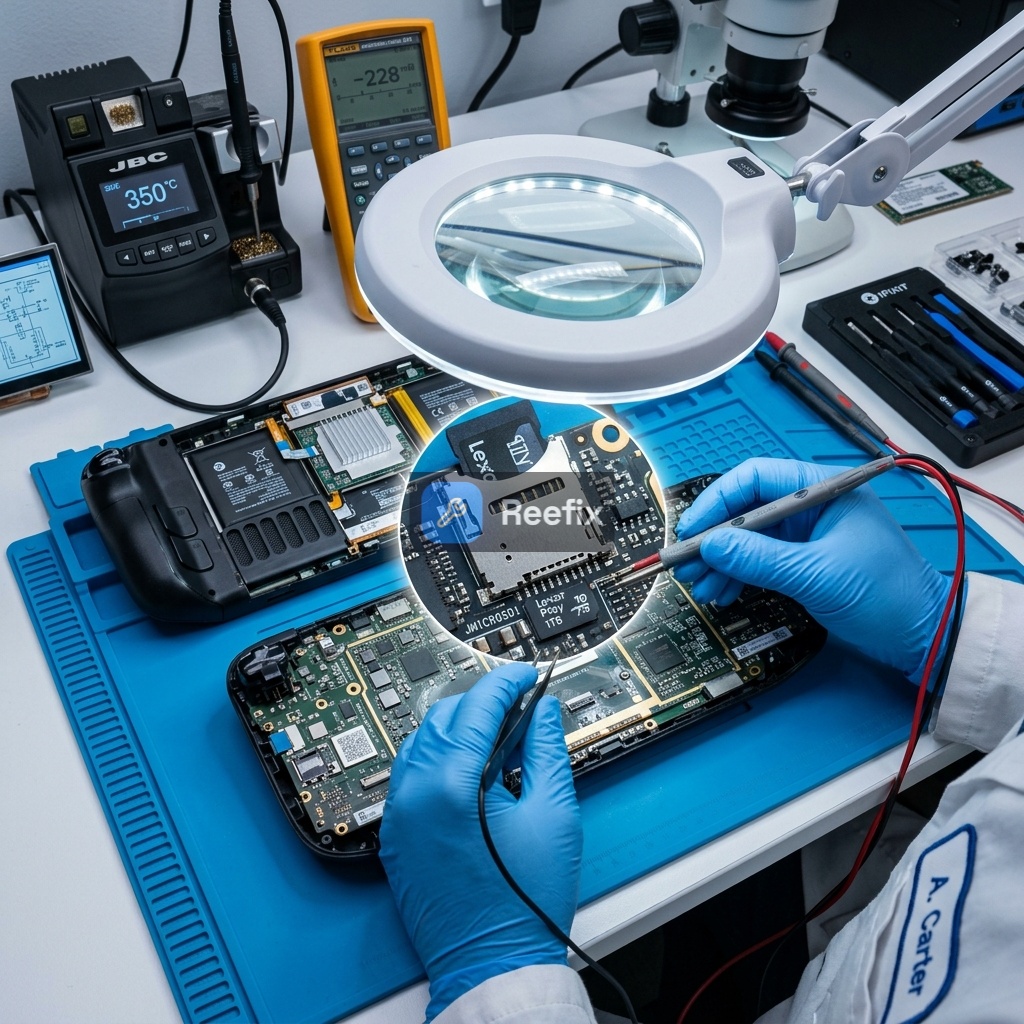
- Visual inspection and diagnostics: A technician will use an iFixit precision screwdriver kit to open the device. They will inspect the microSD slot with a microscope for physical damage (bent, torn pins, lifted pads).
- Advanced software diagnostics: In SteamOS Desktop mode, the technician will monitor the
dmesg -woutput while inserting the card. Errors like "mmc0: error -110 whilst initialising SD card" indicate a hardware problem (slot or motherboard).
This specific error code often indicates a communication timeout or a failure in the slot's power voltage negotiation. If the system log repeatedly shows this message even with different cards, the hardware reader may be damaged or desoldered.
- MicroSD slot replacement: If the slot is damaged, repair requires microsoldering. Using a hot air soldering station and Amtech soldering flux, the technician will desolder the old slot and solder a new one. This is a delicate job to avoid short circuits or damage to the APU.
Output for technician:
"The device exhibits a persistent anomaly in the microSD interface. It does not detect the media or fails ext4 formatting. In Desktop mode, check the dmesg output for I/O or voltage negotiation errors (3.3V/1.8V). Visually inspect the microSD slot for deformed/desoldered pins and check passive components (capacitors/resistors) on the power lines (VCC, VCCQ). If the slot is mechanically damaged, replacement via hot air microsoldering is required."
FINAL VERIFICATION
After any attempted fix, insert a reliable microSD into the Steam Deck and try formatting it from the system settings. If formatting is successful and the card is stably detected, the problem is resolved. If it persists, restart the Steam Deck in Desktop mode, open the Konsole terminal, and type dmesg -w. Insert the microSD and observe the kernel messages: if I/O errors or timeouts appear, the problem is almost certainly hardware.
Operational Decision: If the quick checks resolve the problem, you can repair it yourself; if it persists and the microSD is intact, consult a technician for slot inspection; if the technician confirms extensive motherboard damage or the repair cost is high, consider replacing the device.
Perché lo Steam Deck LCD non rileva la microSD o fallisce la formattazione?
Le cause principali includono schede microSD difettose/contraffatte (35-45%) o danni fisici allo slot microSD (25-30%), spesso causati da un'errata apertura del dispositivo.
Come capire se lo slot microSD dello Steam Deck LCD è danneggiato?
Segnali chiave sono la scheda che non 'clicca' bene, è storta, o i pin interni dello slot sono visibilmente danneggiati. Richiede ispezione visiva, preferibilmente da un tecnico.
Quando è consigliabile rivolgersi a un tecnico per il problema microSD dello Steam Deck LCD?
È consigliato l'intervento di un tecnico specializzato se si sospettano danni fisici allo slot o alla scheda madre, data la complessità e i rischi (es. batteria al litio) dello smontaggio.
This diagnostic report is generated using an artificial intelligence system (RAG) based on the aggregation of online data. The moderation by Luca Chia (Electronic Expert) validates its logical coherence and technical plausibility regarding the described symptoms, confirming the correctness of the AI's diagnostic reasoning, without however constituting an absolute guarantee of resolution for individual cases.