
Steam Deck LCD: Power Button Stuck - Diagnosis and Solution
Generated by ReeFix AI · Sources: technical and specialist documentation (see Sources section)
Revision of 01/07/2026
⚠️ SAFETY WARNING / FIRE HAZARD. This device contains lithium batteries. Improper puncturing or bending during disassembly can cause explosions or flames. The intervention requires precision and the assistance of a specialized technician is recommended. ReeFix provides this diagnosis EXCLUSIVELY for educational and informational purposes.
HIGH PRIORITY
CAUSE 1: Mechanical obstruction or dirt accumulation (45%)
- Key signs: The power button is stiff, sticky, lacks the classic "click," or doesn't complete its full travel. This often happens after use in dusty environments or contact with sugary liquids (sodas, coffee) which, upon drying, create a sticky residue in the gap between the external button and the chassis.
- Why it happens: Dust, debris, or dried liquids act as a high-friction brake, preventing the button from moving freely or returning to position.
- Quick checks (DIY - with caution):
- With the Steam Deck off, try pressing the button with moderate, constant force for 10-15 seconds, releasing and repeating several times. Sometimes a light accumulation can give way.
- With a small amount of 99% Isopropyl Alcohol for electronics on a cotton swab (without soaking), gently clean the edges of the button, pressing it repeatedly to allow the solvent to penetrate. Let it dry completely for 10-15 minutes before trying again.
- Costs: Low. Isopropyl alcohol costs about 5-15€. If DIY cleaning works, the cost is minimal. If you need a technician for a more thorough cleaning without full disassembly, estimate 30-60€.
- Operational decision: If the button starts working again after DIY cleaning, the problem is solved. Otherwise, the obstruction is likely deeper or the cause is different.
MEDIUM PRIORITY
CAUSE 2: Collapse or breakage of the SMD microswitch on the motherboard (35%)
- Key signs: The external button moves, but you don't feel the characteristic tactile "click," or the device doesn't react at all to pressure. The button might also feel "mushy" or remain stuck in the pressed position after prolonged use or a direct impact.
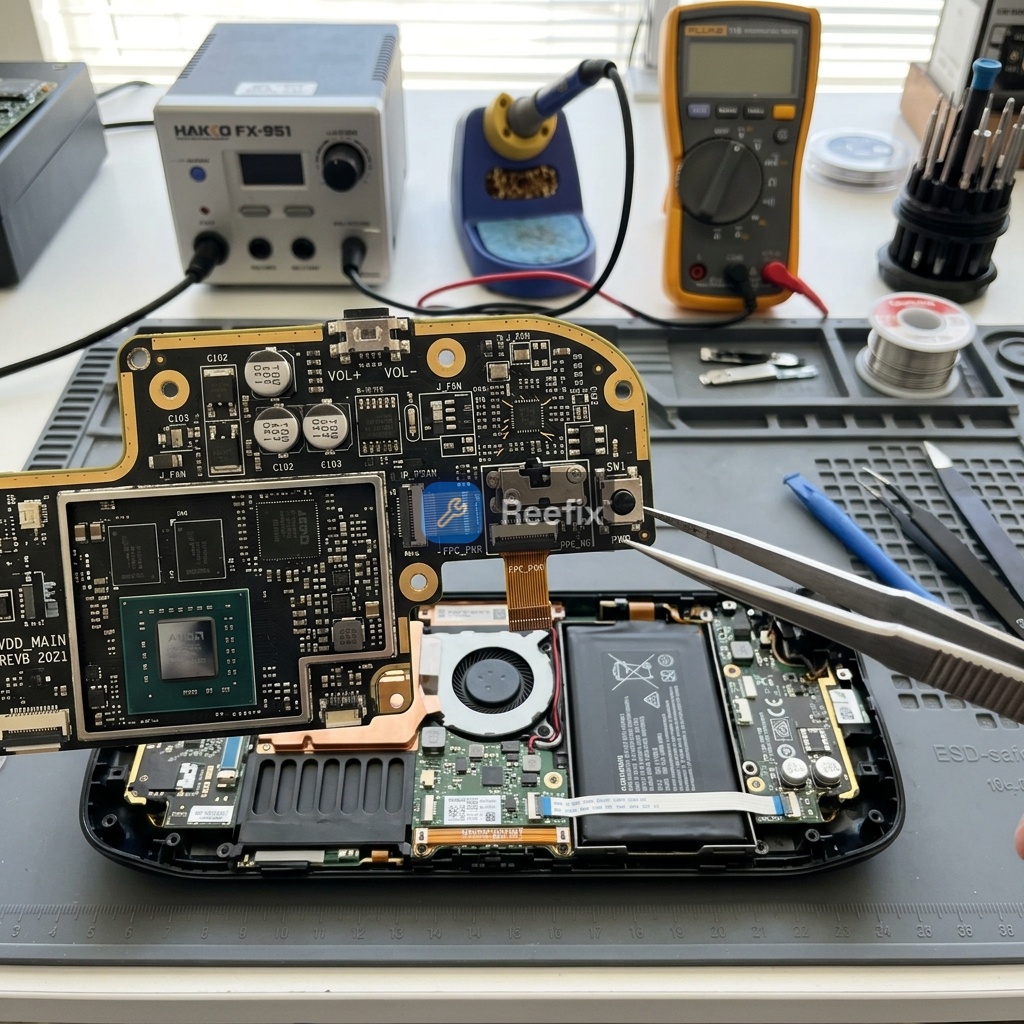
- Why it happens: The internal tactile microswitch is soldered directly onto the Steam Deck LCD's motherboard (Mainboard). It has a tiny metal dome that flexes to create contact. Excessive pressure or impacts can deform or break this dome, preventing it from functioning correctly. Additionally, the solder joints (typically SAC305) or underlying copper pads can fail or tear due to repeated mechanical stress, electrically disconnecting the component.
If you notice that the Steam Deck's power button has become mushy and no longer clicks, it's very likely that the internal metal dome has flattened or the microswitch's solder joints have detached from the motherboard.
- Counter-examples: If the button has normal tactile feedback and produces a "click," this cause is less likely.
- Costs: Medium. Requires replacement of the Steam Deck LCD power button replacement (if the damage concerns the external plastic actuator, cost about 15-30€) or replacement/resoldering of the SMD microswitch on the motherboard. The microswitch itself costs very little (2-5€), but specialized labor for microsoldering on the mainboard ranges from 70€ to 150€.
- Tools needed (for technician): Precision screwdriver set, plastic opening tools, hot air station for SMD desoldering, precision soldering iron, flux, desoldering braid, laboratory microscope, multimeter.
- Operational decision: If cleaning doesn't resolve the issue and the button is "mushy" or doesn't "click," a microswitch failure is very likely. Repair requires a technician specialized in microsoldering.
LOW PRIORITY
CAUSE 3: Motherboard misalignment or shielding deformation (15%)
- Key signs: The button works poorly or gets stuck only when the back cover is fully tightened. Loosening the cover screws slightly might partially restore button function. This can occur after drops or abnormal pressure on the device.
- Why it happens: The Steam Deck LCD does not have an auxiliary board for power; the button is on the motherboard. However, an impact can cause a slight millimeter shift of the motherboard within its supports or a deformation of the internal metal shielding. This misalignment prevents the external plastic actuator from correctly reaching and pressing the SMD microswitch.
- Common errors: Overtightening the cover screws can worsen the problem if the internal supports or shielding are already deformed.
CAUSE 4: Damaged traces on the motherboard or Embedded Controller (EC) failure (5%)
- Key signs: The button works perfectly mechanically and electrically (it has the "click" and the multimeter detects contact on the microswitch), but the console does not turn on or react.
- Why it happens: Copper traces on the motherboard (particularly the trace of the central pin that carries the signal to the Embedded Controller) may have broken or lifted due to mechanical stress or incorrect soldering attempts. In rare cases, the ITE IT5570VG Embedded Controller (EC) on the motherboard, which manages the power-on signal, might be faulty.
- Output for technician: "The device has a physically stuck/mushy power button or no tactile feedback. Verification of the plastic actuator's alignment with the chassis and inspection of the SMD tactile microswitch soldered directly onto the motherboard (checking the metal dome and solder joints) is required. Verify the integrity of the connecting traces on the motherboard, excluding short circuits or permanent low logic signals on the ITE IT5570VG Embedded Controller (EC) detection line."
- Costs: High. Restoring broken traces on the motherboard requires advanced microsoldering (estimate 80-150€). An EC or main power circuit failure is serious; in these cases, repair may be uneconomical, requiring replacement of the entire motherboard.
CONCLUSION AND OPERATIONAL DECISION:
- Try to repair yourself (high probability): If the button is just stuck or sticky, try cleaning it with 99% Isopropyl Alcohol for electronics. Use a Magnetic precision screwdriver set and plastic opening tools (Spudger) if you need to open the casing (proceed with extreme caution to avoid damaging the lithium battery).
- Contact a technician (medium probability): If cleaning doesn't resolve the issue, or if the button is "mushy" without a "click," microswitch failure is likely. A specialized technician can resolder or replace the component directly on the motherboard.
- Replace the device or motherboard (low probability): If the technician diagnoses irreparable damage to the motherboard traces or an Embedded Controller (EC) failure, repair might be uneconomical compared to the device's residual value.
Why is my Steam Deck LCD power button stuck?
Common causes include mechanical obstruction from dirt/debris or dried sugary liquids, preventing the button from moving freely or clicking properly.
How can I tell if my power button is mechanically stuck?
Look for a stiff, sticky button that lacks its usual 'click' or doesn't complete its full travel. This often indicates external debris.
When should I seek professional help for a stuck power button?
If initial cautious cleaning doesn't resolve the issue, or if you suspect internal damage, consult a specialized technician to avoid further damage or safety risks.
This diagnostic report is generated using an artificial intelligence system (RAG) based on the aggregation of online data. The moderation by Luca Chia (Electronic Expert) validates its logical coherence and technical plausibility regarding the described symptoms, confirming the correctness of the AI's diagnostic reasoning, without however constituting an absolute guarantee of resolution for individual cases.