
Zotac Zone: Wi-Fi Disconnection During Gaming - Solution
Generated by ReeFix AI · Sources: technical and specialist documentation (see Sources section)
Revision of 05/07/2026
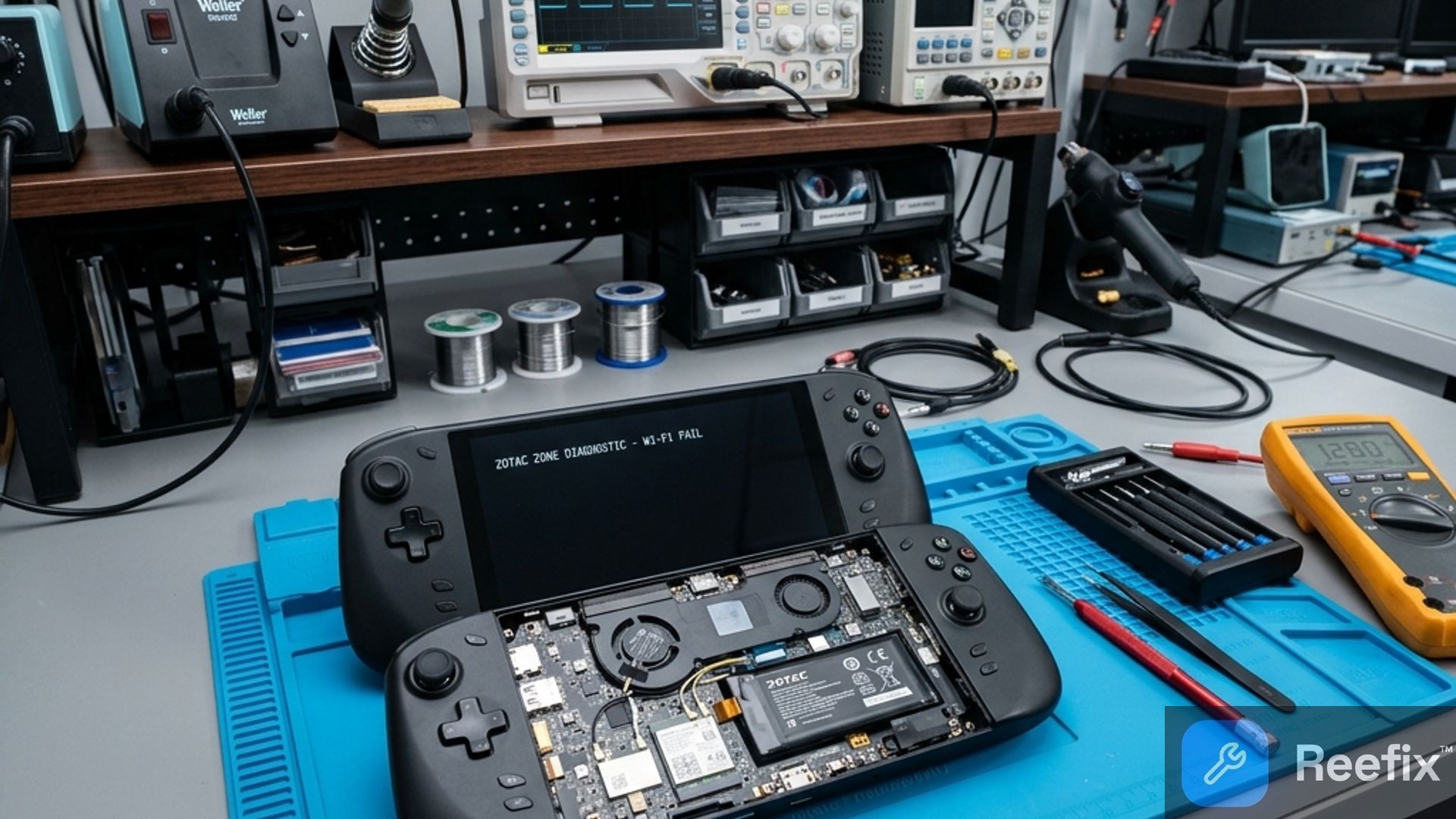
SAFETY WARNING / FIRE HAZARD. This device contains lithium batteries. Improper puncturing or bending during disassembly can cause explosions or flames. The intervention requires precision and the assistance of a specialized technician is recommended. ReeFix provides this diagnosis EXCLUSIVELY for educational and informational purposes.
BEFORE THE FAILURE
The Zotac Zone worked regularly, browsing the internet, watching videos, or using light applications without Wi-Fi connection problems. The device showed no signs of network instability, maintaining a strong and constant signal. The chassis temperature was normal for daily use.
AT THE TIME OF FAILURE
During intense gaming sessions, typically after 15-20 minutes of high CPU and GPU load, the Wi-Fi connection suddenly disconnects. The signal may disappear completely, or the Wi-Fi network may become unavailable. In some cases, the network card completely disappears from Windows Device Manager, requiring a system restart or prolonged cooling to be detected again. This primarily happens with games that fully utilize hardware resources.
AFTER THE EVENT
After disconnection, by closing the game or letting the device cool down, the Wi-Fi module tends to reappear and the connection can be re-established, sometimes manually by deactivating and reactivating the network interface. If the problem is related to overheating, the network card might remain invisible until the device cools down completely.
KEY SEGMENTS
Key signals/indicators:
- Disconnection only during intense gaming: The strongest symptom, indicating a problem related to workload.
- Quick recovery (Wi-Fi restart/game closure): Suggests a driver or power management issue (45% probability).
- Complete disappearance of the network card (requires cooling/restart): Strong indicator of overheating of the integrated Wi-Fi chip (35% probability).
- Signal reduction with GPU at 100%: May indicate electromagnetic interference (15% probability).
Quick checks (DIY):
- Driver update: Download the latest Wi-Fi drivers from the Zotac website or directly from the chipset manufacturer (Intel). Sometimes an optimized driver resolves stability issues.
- Power saving settings: In Windows, go to "Device Manager" > "Network adapters" > (your Wi-Fi adapter) > "Properties" > "Power Management". Disable "Allow the computer to turn off this device to save power". Then, in the control panel, go to "Power Options" > "Change plan settings" > "Change advanced power settings" and check the PCIe power saving settings, setting them to "Maximum performance".
- Temperature monitoring: Use software like HWInfo64 to check the Wi-Fi module temperature during gaming. If the disconnection occurs when it exceeds 75°C, overheating is very likely.
OUTPUT FOR TECHNICIAN
"The Zotac Zone device exhibits systematic wireless link losses (Wi-Fi disconnection with potential disappearance of the network interface or errors 10/43 in Device Manager) exclusively under high thermal and power load, typically during 3D gaming. Overheating of the on-board soldered Intel AX210 Wi-Fi chip is suspected, given its proximity to the APU and SSD, or power management (ASPM) and driver issues. Verification of IPEX4 antenna connectors, eventual application of an additional thermal pad on the soldered network chip to improve its dissipation, or advanced diagnostics of the integrated Intel AX210 chip are required. In case of permanent failure of the integrated chip, consider replacement via BGA microsoldering or the adoption of an external dongle.
If during these phases you experience the total disappearance of the peripheral accompanied by code 43 in Device Manager, the cause is almost certainly a thermal block or a power interruption on the Intel AX210 chip. In these cases, a controlled reflow or the application of a high-conductivity thermal pad can restore the correct PCIe link without having to replace the entire module. "
COSTS
- Estimated cost of spare parts (chip/donor board): €15–€25 (by purchasing an Intel AX210 M.2 Wi-Fi card from which to extract the chip or as an external dongle).
- Estimated labor cost (BGA microsoldering or thermal restoration): €80–€150 at a specialized laboratory (as it is a soldered chip, the operation requires professional equipment).
- Disassembly kit cost (DIY): Approximately €20-€30 for an iFixit precision screwdriver kit.
PREVENTION TIPS
The extreme miniaturization of handheld PCs forces sensitive components, such as the integrated Wi-Fi chip, to be placed very close to intense heat sources (APU, SSD). This, combined with electrical absorption peaks and aggressive power saving management, can destabilize the network controller.
To prevent future failures:
- Do not obstruct air vents: Ensure that the intake and exhaust grilles of the Zotac Zone are always clear. Good airflow is crucial for thermal dissipation.
- Balanced power profiles: Avoid keeping the device constantly in "Turbo" mode or at maximum TDPs if not strictly necessary for the current game. A slightly reduced TDP can improve overall thermal stability without sacrificing too much performance.
- Environmental check: Avoid gaming in high-temperature environments or on surfaces that hinder dissipation (e.g., blankets, sofas).
Operational decision:
- First step (Most probable cause - 45%): Perform a complete software reset. Update the Intel AX210 chip drivers and disable PCIe power saving in Windows. This is the most probable and zero-cost solution.
- Second step (Overheating - 35%): If the problem persists only under thermal load, the cause is overheating of the chip soldered on the motherboard. A technician will need to inspect the dissipation system and apply a high-performance thermal pad.
- Third step (Hardware failure - 20%): In case the chip is permanently damaged, repair requires BGA microsoldering to replace the integrated Intel AX210 chip, or the use of an external USB-C Wi-Fi adapter.
Why does the Zotac Zone disconnect from Wi-Fi during gaming?
Disconnection during gaming is often caused by overheating of the integrated Wi-Fi chip or driver issues under intense load.
How to tell if Wi-Fi disconnects due to overheating?
It manifests after 15-20 minutes of gaming: the network disappears from Device Manager and only restores after the console cools down.
When is a technician recommended for Wi-Fi issues related to overheating?
When software attempts fail. Since it's a soldered chip, a technician must intervene to restore dissipation or replace it.
This diagnostic report is generated using an artificial intelligence system (RAG) based on the aggregation of online data. No publication happens automatically: the rigorous multi-step moderation by Luca Chia (Electronic Expert) validates its logical coherence and technical plausibility regarding the described symptoms, confirming the correctness of the AI's diagnostic reasoning, without however constituting an absolute guarantee of resolution for individual cases.