
ASUS ROG Ally X SD Card Not Read: Diagnosis and Solutions
Generated by ReeFix AI · Sources: technical and specialist documentation (see Sources section)
Revision of 30/06/2026
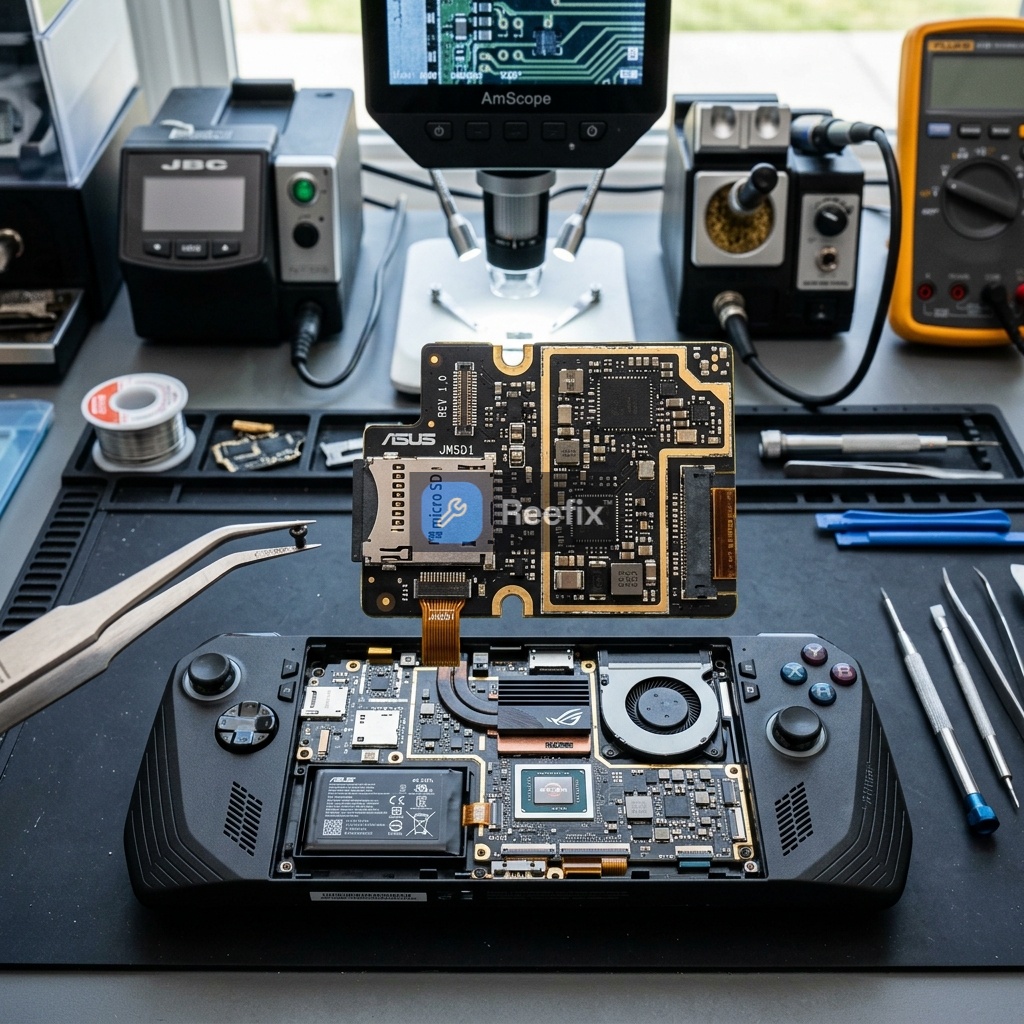
⚠️ SAFETY WARNING / FIRE HAZARD. This device contains high-capacity lithium batteries (80Wh). Improper puncturing or bending during disassembly can cause explosions or flames. The intervention requires precision and the assistance of a specialized technician is recommended. ReeFix provides this diagnosis EXCLUSIVELY for educational and informational purposes.
Why isn't my ASUS ROG Ally X reading the SD card?
Failure to detect the MicroSD card on the ASUS ROG Ally X (model RC72LA) is a problem that presents very differently from the first generation (RC71L). If in the first version the fault was almost always hardware-related due to thermal stress, on the ROG Ally X – thanks to the repositioning of the slot and the new dissipation system – the problem is in the vast majority of cases related to software conflicts, drivers, or file system formatting.
- Most probable causes:
- Genesys Logic (GL9767) driver incompatibility or corruption — 50%
- Why: The Genesys Logic GL9767 SD controller driver (
GlPciSD.sys) can become corrupted or conflict after a Windows 11 or Armoury Crate SE update. In this case, the reader stops communicating correctly with the operating system. - Signs: The SD controller shows a yellow triangle in "Device Manager" with errors such as Code 10 (This device cannot start) or Code 43 (Windows has stopped this device because it has reported problems).
- Why: The Genesys Logic GL9767 SD controller driver (
- Unsupported File System or Missing Drive Letter — 30%
- Why: If the MicroSD card was previously used on a Linux device (such as the Steam Deck, which uses the EXT4 file system) or if Windows does not automatically assign a drive letter to the partition.
- Signs: The card is physically detected (you hear the Windows insertion sound) but does not appear in "This PC" or "File Explorer".
- MicroSD card damage or corruption — 15%
- Why: MicroSD cards can easily become corrupted due to sudden removals during writing or intrinsic NAND memory defects (especially on cheap or counterfeit cards).
- Signs: The SD card is not read on any other device (PC, smartphone, or camera).
- Hardware failure or loose physical connection — 5%
- Why: Although the Ally X has resolved the thermal design flaws of the first version, an accumulation of dust inside the slot, bent pins, or a loose internal flat cable (e.g., after an M.2 2280 SSD upgrade) can interrupt physical contact.
- Signs: No card is detected and the Genesys Logic GL9767 controller does not appear at all in Device Manager, not even as an unknown device.
- Genesys Logic (GL9767) driver incompatibility or corruption — 50%
What can I check before a technical intervention?
Before considering professional intervention, you can perform some quick checks to resolve the problem at the software level.
- Quick checks:
- Drive letter assignment and formatting: Insert the card, right-click the Start button, and select "Disk Management". If you see the card but it doesn't have a letter assigned (e.g., D:), right-click the partition and select "Change Drive Letter and Paths". If the card comes from a Steam Deck, you will need to format it to NTFS or exFAT.
- Genesys driver reinstallation: Go to the official ASUS support website, select the ROG Ally X (RC72LA) model, and download the latest Genesys Card Reader driver. Install the driver, restart the console, and check if the problem is resolved.
- Test with other SD cards: Try inserting a different, known-working MicroSD card to rule out the problem being related to the specific memory card.
- Internal flat cable check (for expert users): If you have recently opened the console to replace the SSD, make sure you haven't accidentally loosened the flat connector that connects the SD card reader board to the motherboard.
- Counter-examples: If a new SD card is read without problems, the console's reader is perfectly functional, and the problem lies with the old memory card.
Is it worth repairing or is it better to replace?
The decision depends on the nature of the problem. As it is a recent and high-end console, repair is almost always the more convenient choice compared to replacing the device.
-
DIY software resolution (Recommended):
-
Estimated cost: 0€
-
Difficulty: Low. Only requires updating drivers or formatting the card via Windows.
-
Hardware repair by a specialized technician:
-
Estimated cost: * Slot replacement or contact restoration: Medium-low, approximately 50-120€. If the problem is a physically damaged MicroSD card reader slot for ASUS ROG Ally or a desoldered pin. * Complex motherboard interventions (Very rare on Ally X): If it were necessary to diagnose interrupted power lines with a Fluke digital multimeter or replace the Genesys GL9767 controller chip using a Quick hot air soldering station, the cost could rise to 120-180€.
-
Advice: If software tests fail and no card is detected, contact a specialized laboratory.
-
Output for technician: "The ASUS ROG Ally X device does not detect MicroSD cards. Software and formatting causes excluded. Physical inspection of the MicroSD card reader slot and the Genesys Logic GL9767 controller is required, including verification of power voltages and the integrity of the internal connecting flat cable."
-
Alternative: Internal SSD upgrade:
-
Advice: Since the ROG Ally X natively supports standard M.2 2280 SSDs (much cheaper and higher capacity than SD cards), if the hardware reader turns out to be faulty and you prefer not to spend on repair, the smartest choice is to install an internal 2TB or 4TB SSD.
-
Operational decision: If the problem turns out to be software, resolve it yourself at no cost. If it is physical hardware damage to the slot, laboratory repair (50-120€) is largely more convenient than replacing the console. Alternatively, an internal SSD upgrade represents a definitive and high-performance solution.
How can I prevent future failures?
Prevention ensures maximum longevity for your console's storage components.
- Prevention tips:
- Safe removal: Always use the "Safely Remove Hardware" option in Windows before physically ejecting the MicroSD to avoid data corruption.
- Slot cleaning: Avoid leaving the slot empty exposed to dust and debris. If necessary, gently clean it with low-pressure compressed air.
- Prioritize internal SSD: Install heavier and graphically complex games on the internal M.2 2280 SSD, leaving the MicroSD for light titles or emulators, thus minimizing intensive read/write cycles on removable memory.
Perché la mia ASUS ROG Ally X non legge la scheda SD?
Spesso è un problema di driver Genesys Logic corrotti, di formattazione incompatibile (es. EXT4 da Steam Deck) o, raramente, un danno allo slot.
Come posso capire se il lettore SD della mia ROG Ally X è guasto?
Se non appare in Gestione Dispositivi (anche dopo aver reinstallato i driver Genesys) o mostra errori persistenti come Codice 10 o 43.
Quanto costa riparare il lettore SD della ASUS ROG Ally X?
Se è un problema software il costo è zero. Per riparazioni hardware dello slot o contatti, il costo stimato da un tecnico è tra 50€ e 120€.
This diagnostic report is generated using an artificial intelligence system (RAG) based on the aggregation of online data. The moderation by Luca Chia (Electronic Expert) validates its logical coherence and technical plausibility regarding the described symptoms, confirming the correctness of the AI's diagnostic reasoning, without however constituting an absolute guarantee of resolution for individual cases.