
ROG Xbox Ally: System Crash with SteamOS - Diagnosis and Solutions
Generated by ReeFix AI · Sources: technical and specialist documentation (see Sources section)
Revision of 30/06/2026
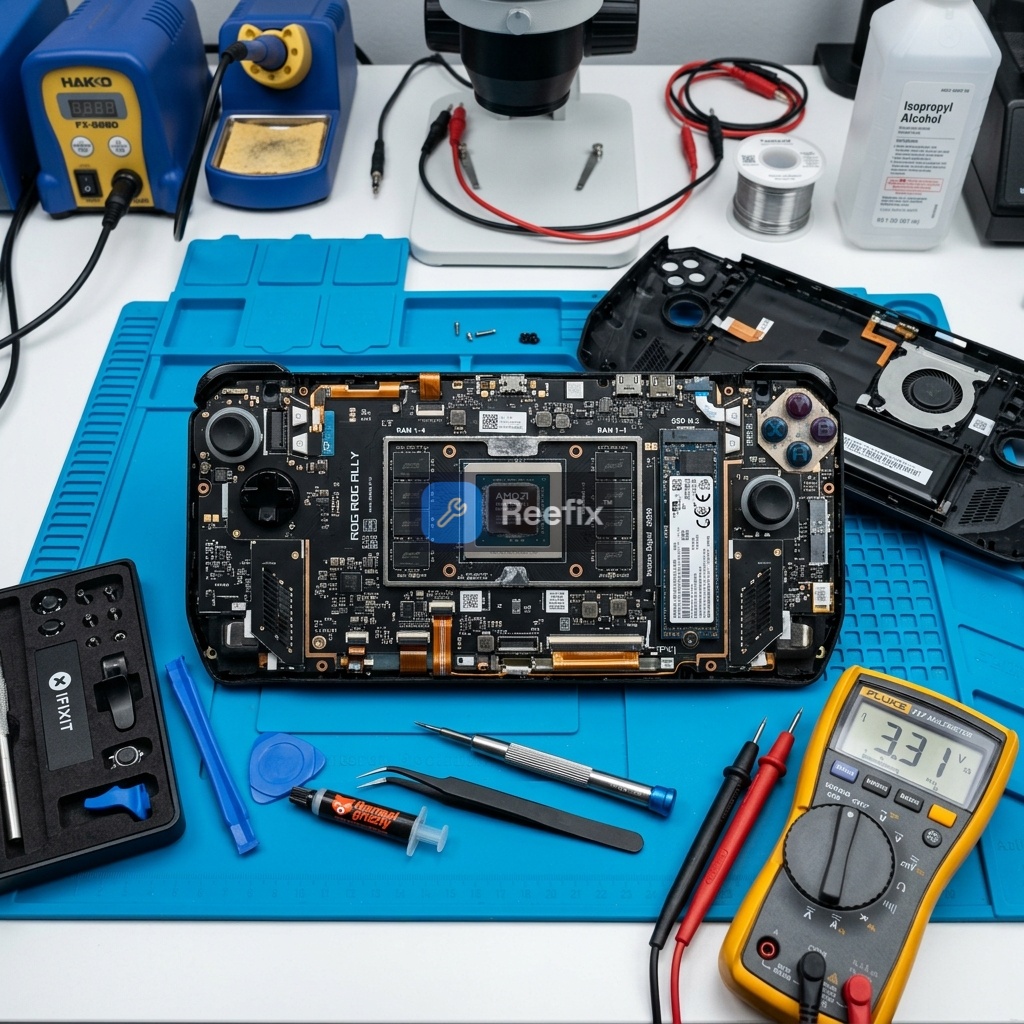
⚠️ SAFETY WARNING / FIRE RISK. This device contains lithium batteries. Improper puncturing or bending during disassembly can cause explosions or flames. Intervention requires precision and the assistance of a specialized technician is recommended. ReeFix provides this diagnosis EXCLUSIVELY for educational and informational purposes.
HIGH PRIORITY
CAUSE 1: ACPI Incompatibility / Sleep State Management (s2idle)
- Probability: 50%
- Key signals/indicators: The crash occurs almost exclusively when attempting to suspend the console or during the wake-up phase: black screen with active fans or total freeze.
- Why it happens: The ROG Xbox Ally hardware is optimized for Windows Modern Standby (S0ix). SteamOS, based on Linux, attempts to use s2idle, creating a discrepancy in power management that leads to "kernel panic" or hard freeze upon waking.
- Quick checks (DIY):
- Perform a forced restart (hold the power button for 10-15 seconds).
- Update the ROG Xbox Ally BIOS to the latest available version via Windows (if you have a dual-boot installation) or using the ASUS utility.
- Avoid putting the console to sleep; shut it down completely when not in use.
- Costs: €0 (if resolvable with BIOS update or habit change) / €40-€80 (technical intervention for log analysis and Linux kernel parameter optimization).
- Output for technician: Verify BIOS firmware stability and analyze system logs (
journalctl) for errors related to failed ACPI state transitions or GPU firmware timeouts on wake-up. Testing specific Linux Kernel boot parameters is suggested.
MEDIUM PRIORITY
CAUSE 2: Unstable Dynamic VRAM Allocation
- Probability: 25%
- Key signals/indicators: Sudden crashes during heavy game loading or rapid 3D scene transitions, often with immediate console restart.
- Why it happens: The AMD Ryzen Z2 APU (or Ryzen AI Z2 Extreme) shares RAM as VRAM. If VRAM is set to "Auto" in the BIOS, the Linux graphics driver (Mesa) can fail to allocate memory during peak loads, causing a crash.
- Quick checks (DIY):
- Access the ROG Xbox Ally BIOS (by holding the Volume Down [-] button and pressing the power button at startup).
- Look for the VRAM option (under "Advanced" > "UMA Frame Buffer Size").
- Set a fixed value for VRAM (e.g., 6GB, 8GB, or 10GB) instead of "Auto". Save and exit.
- Costs: €0 (DIY intervention) / €40-€80 (technical intervention if not self-sufficient).
- Typical user error: Leaving the VRAM setting on "Auto" believing it to be the most efficient, while on SteamOS it can cause instability.
CAUSE 3: Overheating or Instability of the NVMe SSD Controller
- Probability: 15%
- Key signals/indicators: The operating system suddenly becomes read-only, games freeze but audio continues for a few seconds, or random freezes occur even when idle.
- Why it happens: Many users install aftermarket SSDs (often M.2 2280 with adapters) which can overheat without adequate dissipation or introduce interference. Linux with advanced filesystems requires greater I/O stability.
- Quick checks (for technician):
- Monitor NVMe SSD SMART parameters and controller temperatures under Linux stress tests.
- Inspect for the presence of heatsinks on the SSD or the integrity of the M.2 adapter.
- Costs: €60–€120 (SSD replacement with a more thermally efficient model like WD Black SN770M M.2 2230 NVMe SSD for ASUS ROG Ally) + €40–€80 (labor).
- Tools needed (for experienced DIYer or technician): iFixit Pro Tech Toolkit precision screwdriver set to open the casing.
LOW PRIORITY
CAUSE 4: Minor or Concurrent Causes (Linux kernel bugs, unstable Decky plugins)
- Probability: 10%
- Key signals/indicators: Less predictable crashes, which may appear after SteamOS updates or the installation of new plugins.
- Why it happens: Temporary incompatibilities between new ASUS BIOS versions and unofficial Linux distributions, or software conflicts caused by third-party plugins for TDP control.
- Quick checks (DIY):
- Update SteamOS/Linux distribution to the latest stable version.
- Disable or uninstall recently installed Decky Loader plugins.
- Reinstall SteamOS from scratch if the problem persists.
- Costs: €0 (software resolution).
- Counter-examples: If crashes are constant and always occur under the same conditions (e.g., on wake-up, in specific games), it is less likely to be a generic bug or a plugin.
Operational decision:
- Repair yourself (high probability): If crashes occur on wake-up or during gameplay, first try to update the BIOS and set fixed VRAM (6GB/8GB/10GB) in the BIOS. These are the most probable and zero-cost solutions.
- Consult a technician (medium probability): If DIY solutions don't work, or if you're uncomfortable with BIOS/Kernel modifications, a technician can analyze system logs, optimize kernel parameters, and verify SSD integrity. Estimated cost €40-€80 for software interventions, €100-€200 if it includes SSD replacement.
- Replace the device (low probability): Replacement is rarely the first option for a ROG Xbox Ally with these symptoms, unless the cost of hardware repair (e.g., a motherboard failure that would require a Professional hot air soldering station or component replacement) exceeds the residual value of the device or if you prefer to return to a native operating system like Windows.
If you notice that your WD Black SN770M on the ROG Ally suddenly goes read-only or causes continuous crashes during loading, it could be a thermal safety lockout of the controller. Adequate dissipation or power supply voltage control often resolves this specific anomalous behavior.
Why does my ROG Xbox Ally crash with SteamOS during sleep?
System crashes on ROG Xbox Ally with SteamOS during sleep/wake-up are often due to ACPI incompatibility (s2idle vs. S0ix). Update BIOS or avoid sleep mode. Technician can optimize kernel parameters.
How to diagnose SteamOS crash on ROG Xbox Ally?
Look for black screen with active fans or total freeze during suspend/resume. This points to ACPI incompatibility. Check BIOS version. Costs range from €0 (DIY) to €80 (tech analysis).
When should I call a technician for ROG Xbox Ally SteamOS crashes?
If BIOS updates or avoiding sleep don't resolve the issue, a technician can analyze logs and optimize Linux kernel parameters for power management. Recommended due to fire risk.
This diagnostic report is generated using an artificial intelligence system (RAG) based on the aggregation of online data. The moderation by Luca Chia (Electronic Expert) validates its logical coherence and technical plausibility regarding the described symptoms, confirming the correctness of the AI's diagnostic reasoning, without however constituting an absolute guarantee of resolution for individual cases.